How to import HubSpot data into Sanka
How to import HubSpot deals into Sanka as orders, and create Sanka subscriptions from those orders.
Last updated: June 6, 2026
Overview
Once HubSpot and Sanka are connected, you can import HubSpot deals into Sanka as orders. The imported orders can then flow straight into billing, inventory allocation, subscriptions, and other back-office workflows in Sanka. This guide walks you through importing HubSpot deals as Sanka orders, and then turning those orders into Sanka subscriptions.Prerequisites
Import HubSpot deals into Sanka
-
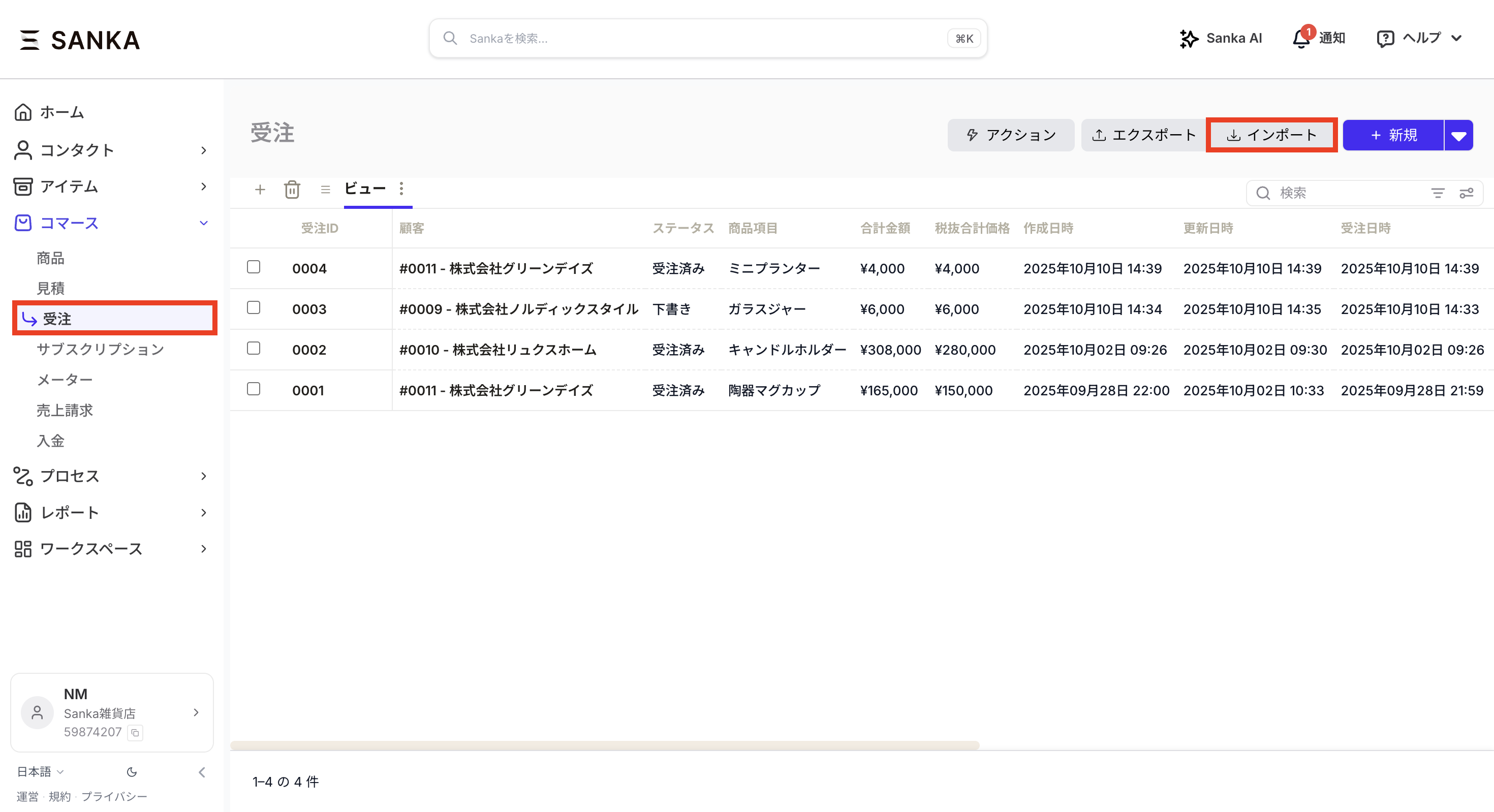
Open the Orders object in Sanka and click Import.
-
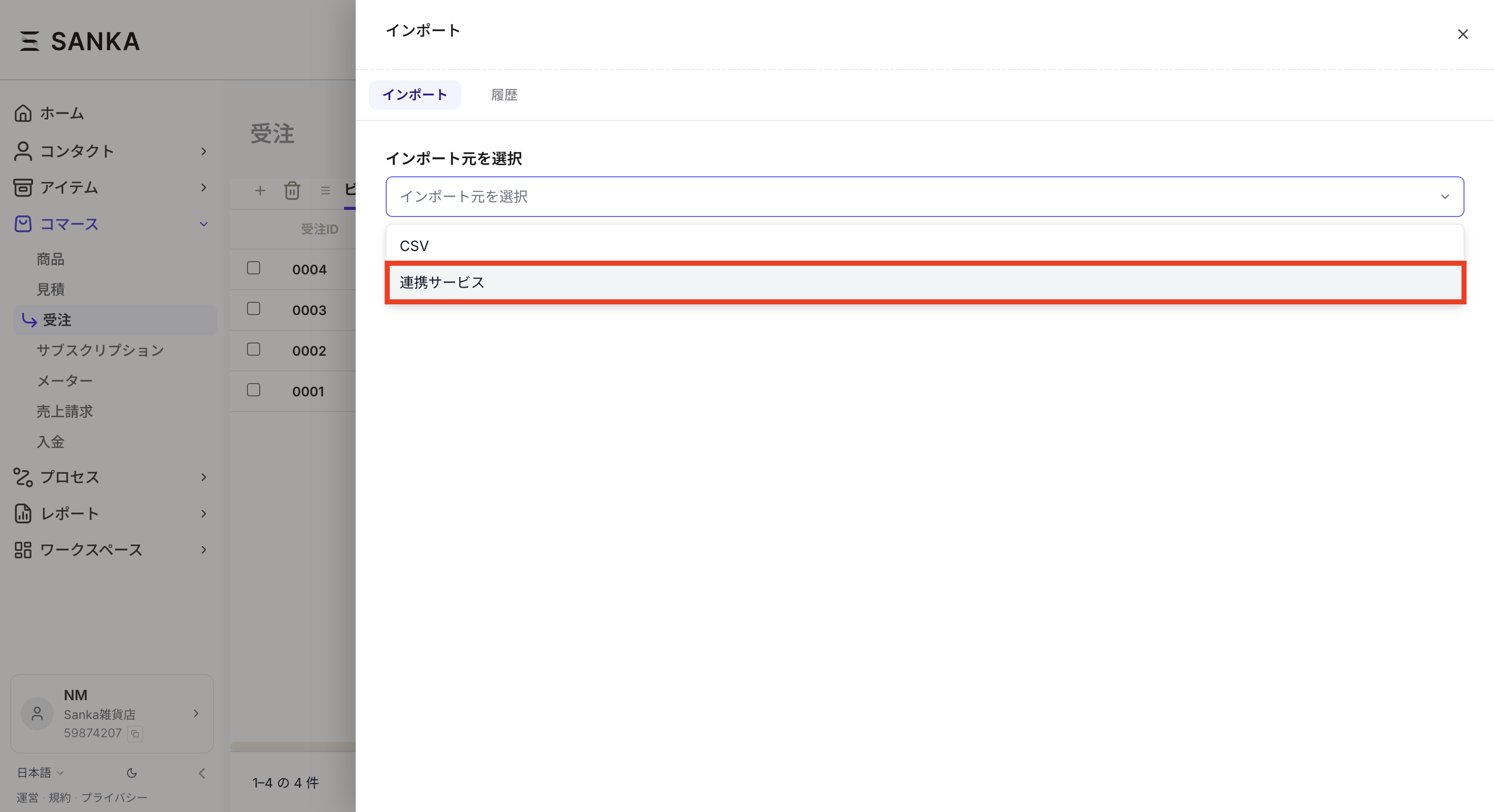
The import configuration screen opens. Under the import source, select Integration.
-
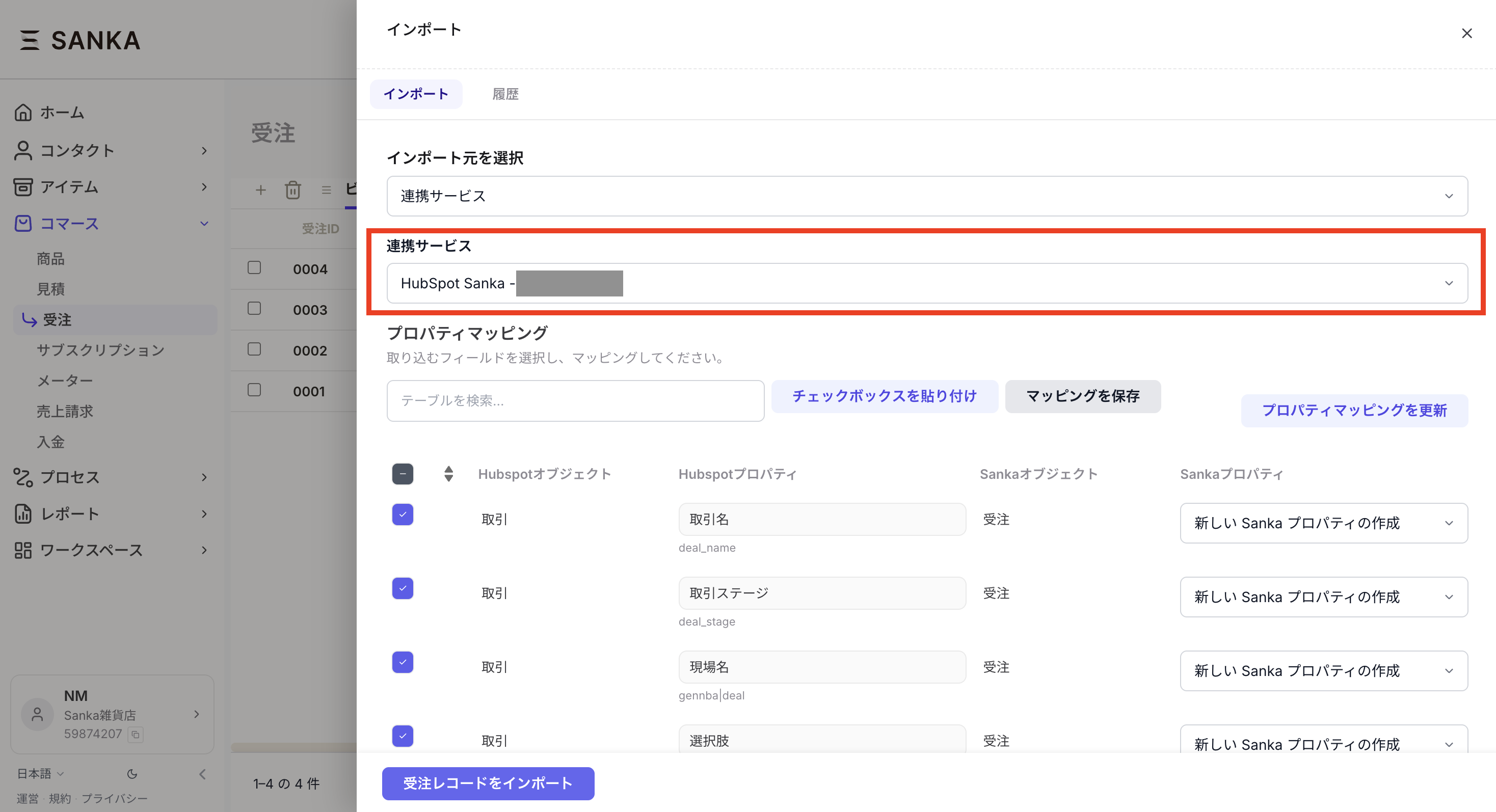
Under Integration, select your HubSpot account.
-
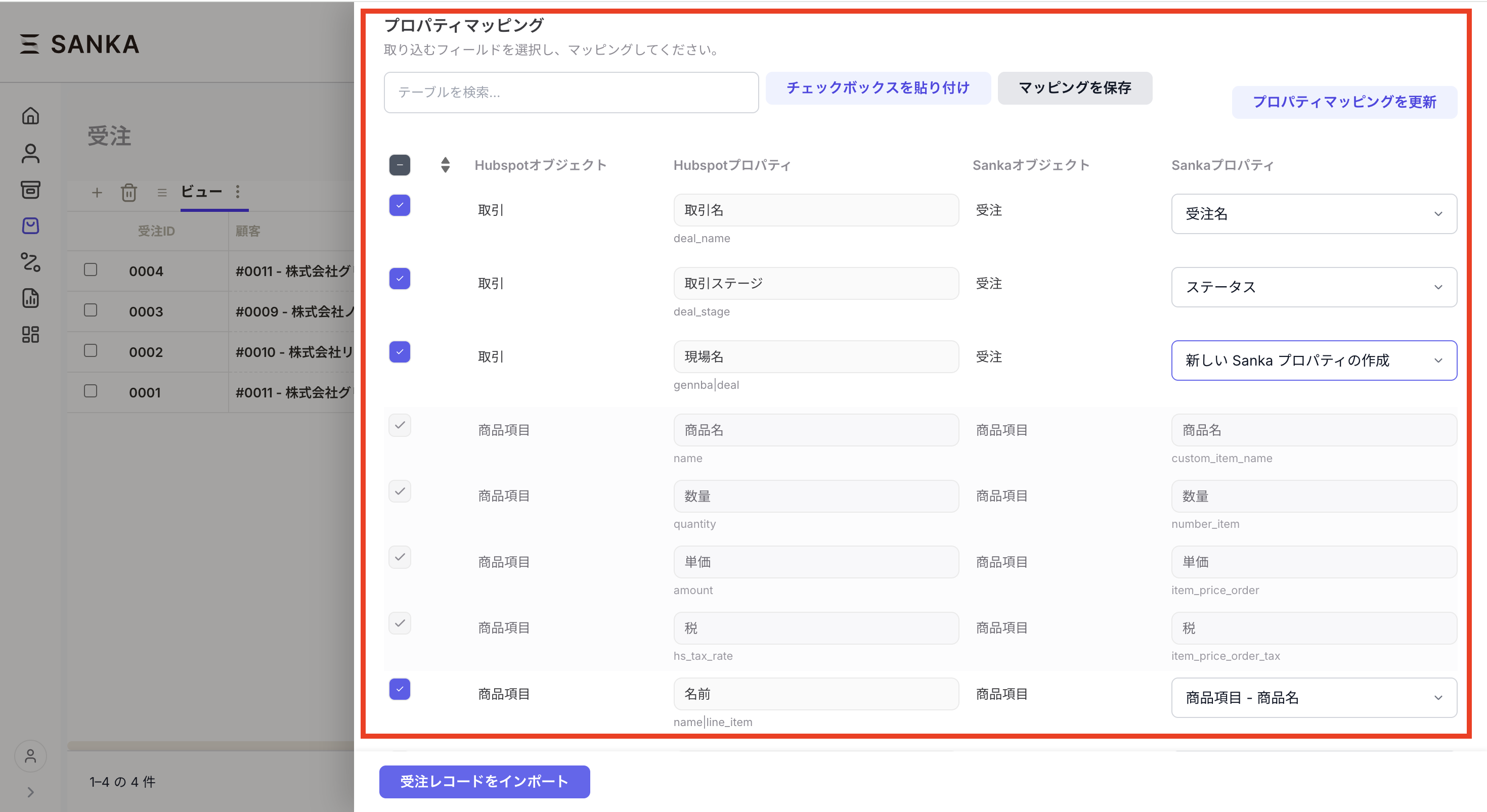
Next, configure property mapping. Map properties on the HubSpot Deal object to properties on the Sanka Order object. We recommend limiting synced fields to the information your workflow actually needs.
- If a property doesn't exist in Sanka yet, you can create a new one (as a text property) on the spot.
- Check the exclude column for any HubSpot properties you don't want to import — they won't sync.
- Save your mapping and you only need to do this once.
-
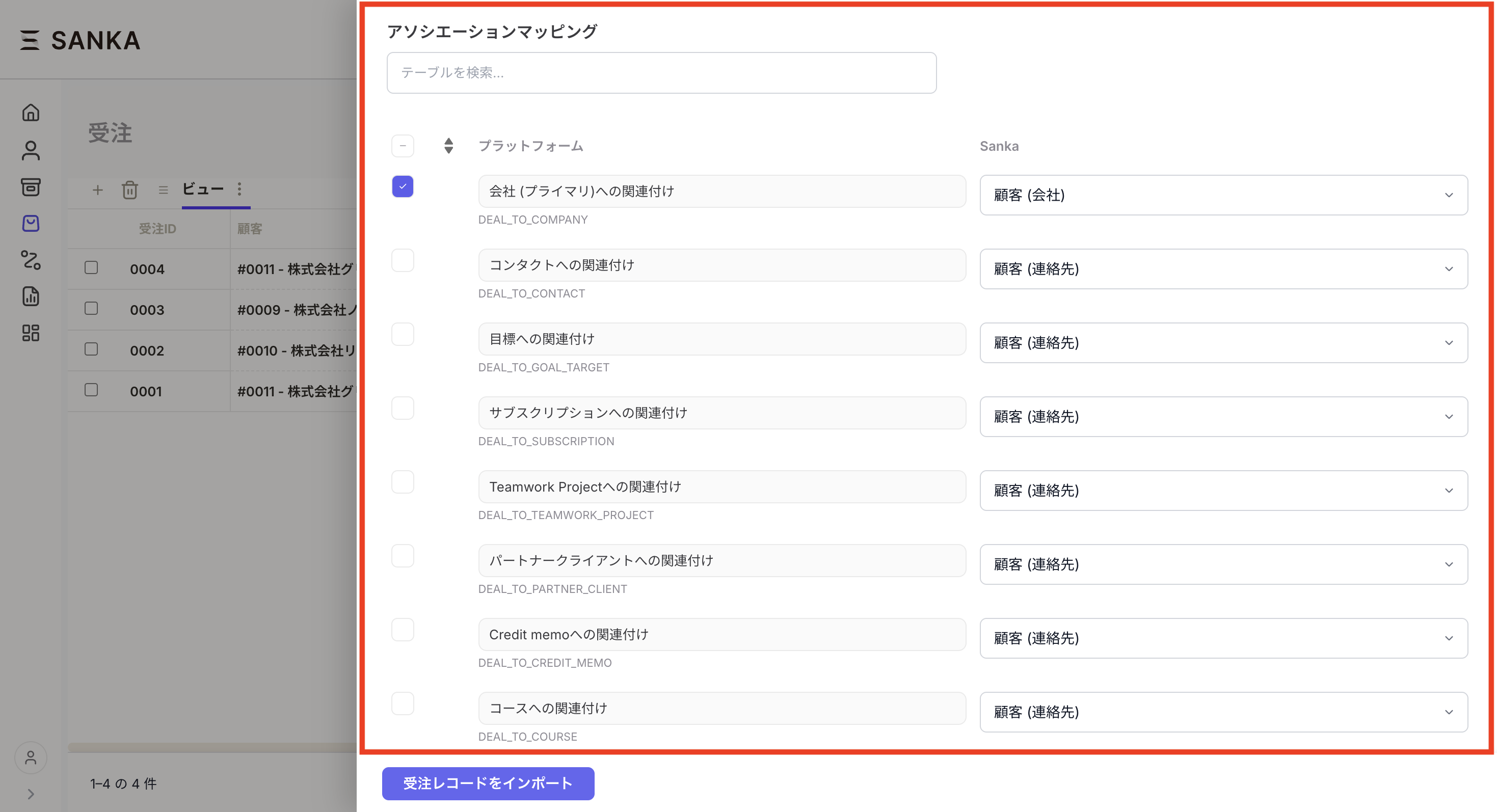
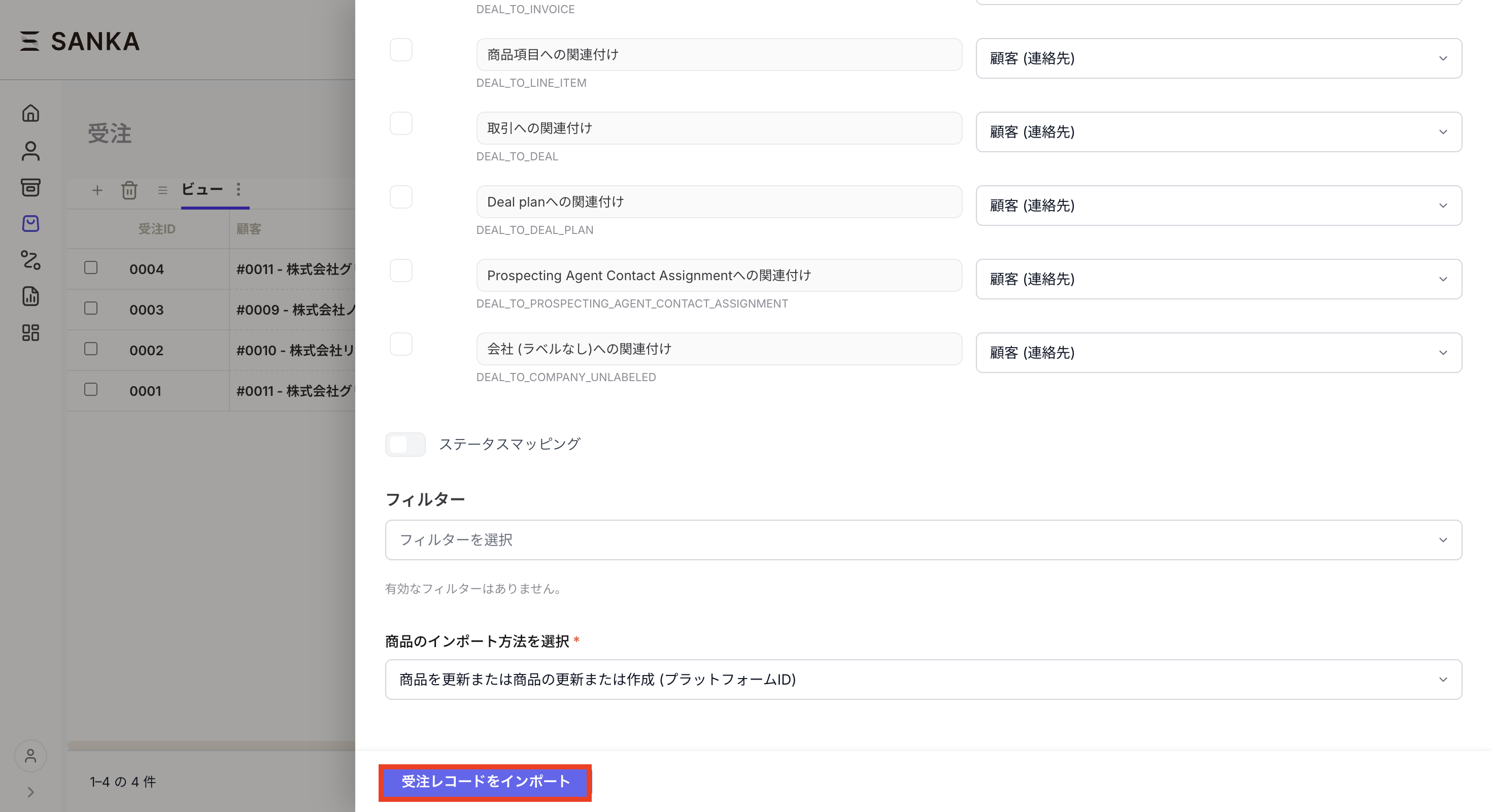
If you have relationships to other objects, configure association mapping. Note: if custom object associations are involved, you need to set up associations on the Sanka side first.
-
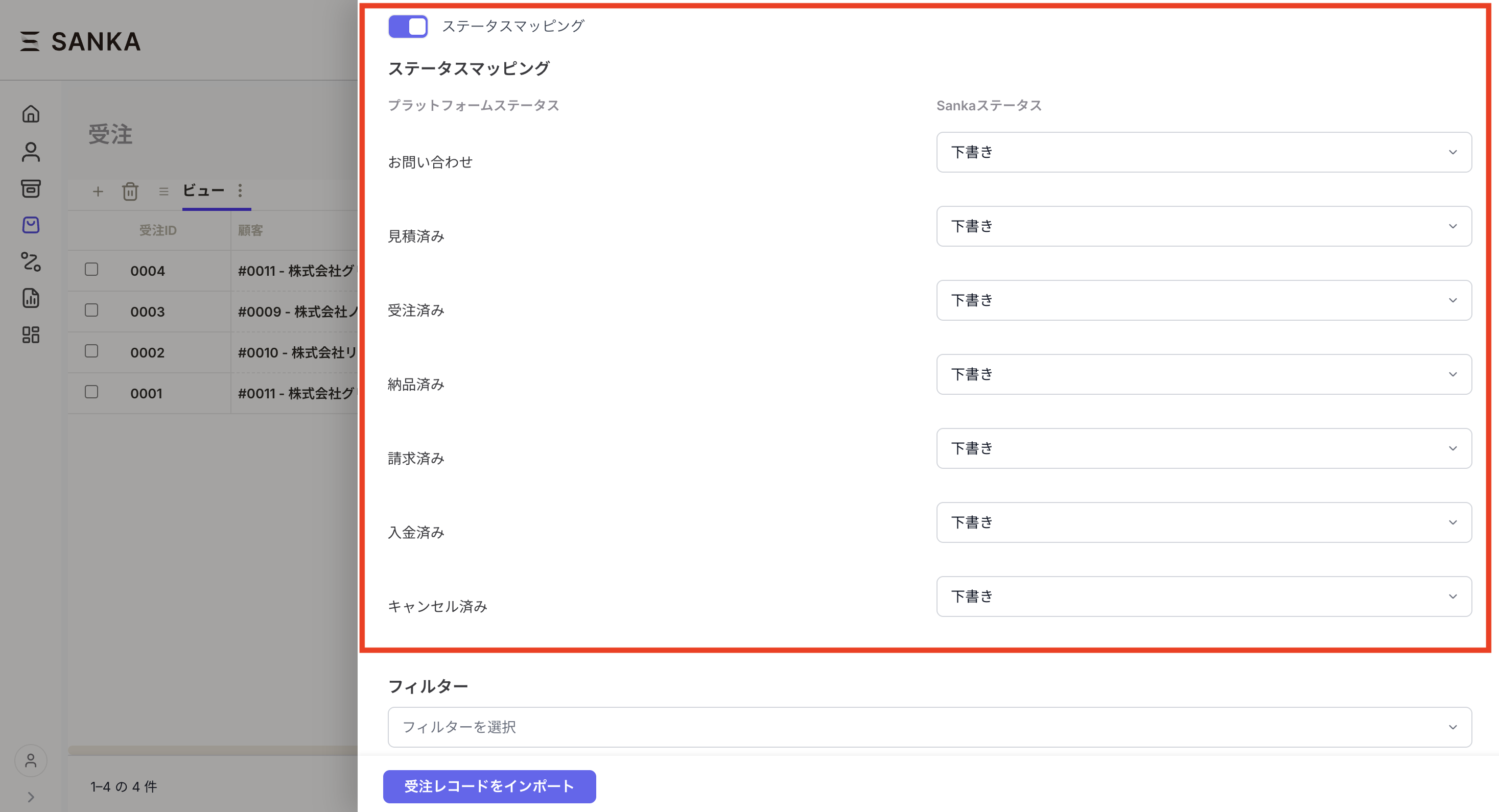
Align the status mapping. Map HubSpot deal stages to Sanka order statuses so that both systems share the same view of status. If status mapping isn't needed, turn it off.
-
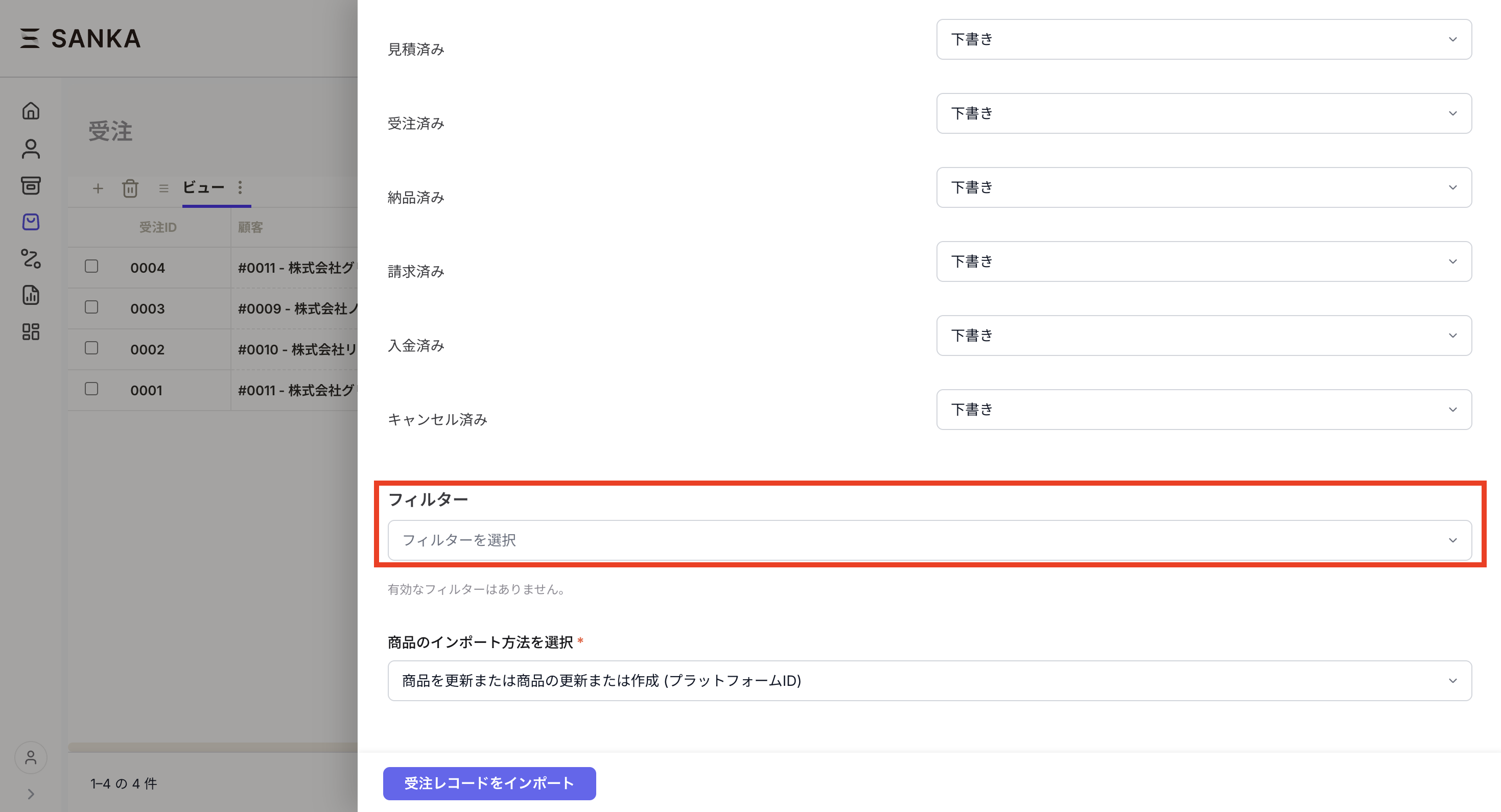
To restrict which records are imported, use filters to narrow the results by condition.
-
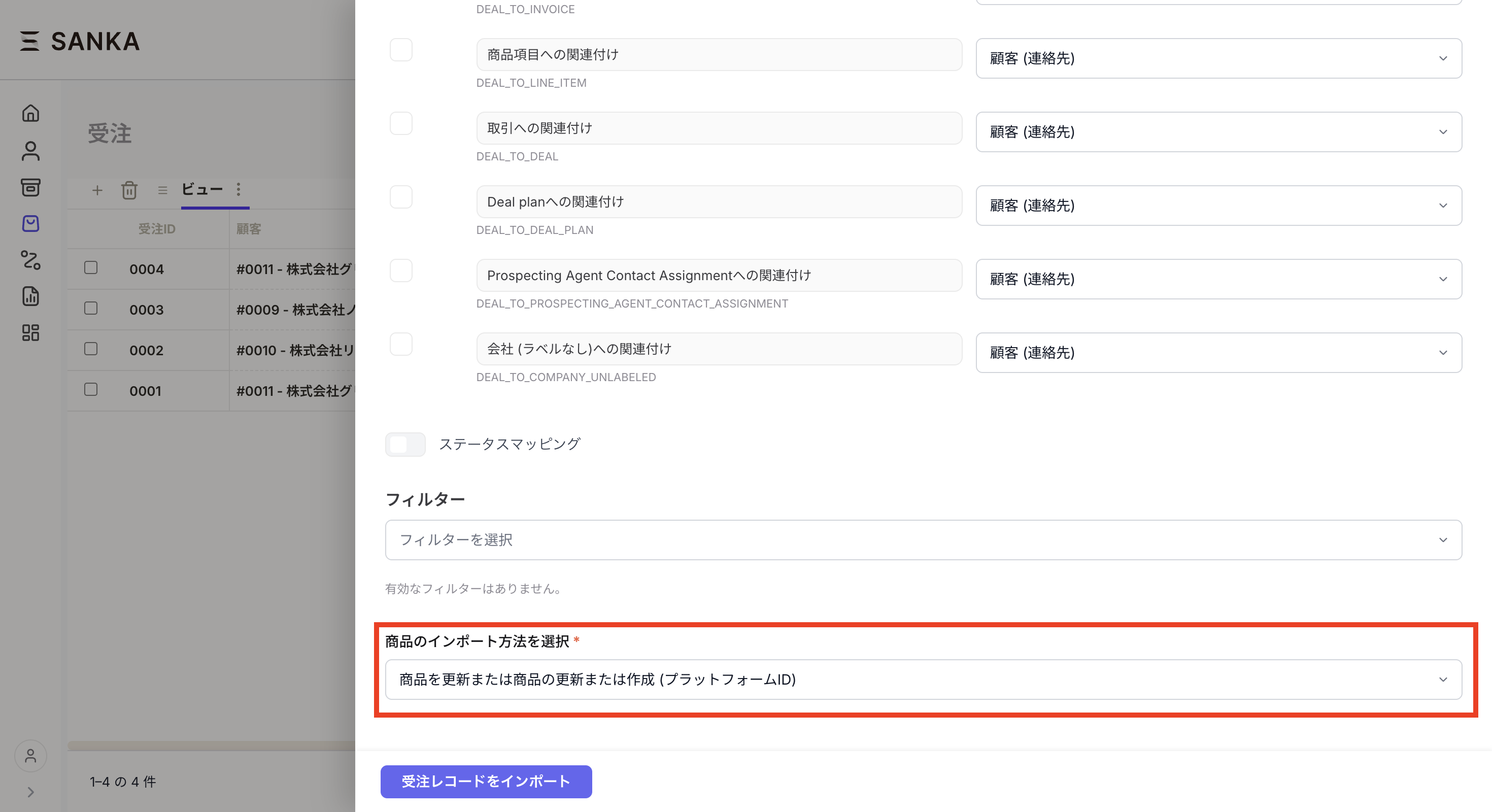
Choose how line items are imported.
-
Review the import settings and click Import order records.
Create Sanka subscriptions from HubSpot deals
Even if you don't use HubSpot's native Subscriptions, you can import HubSpot deals as Sanka orders and then create Sanka subscriptions from those orders. If the HubSpot deal has line items attached, they're imported as Sanka order line items and carry straight through to the subscription's line items.Next steps
- Quote creation and sending — Create quotes from imported customer and order context.
- Subscription management — Configure recurring billing, cancellations, and payment processing.
