Separate the AI draft flow, the UI record action flow, and the UI association flow for purchase-order receiving.
Last updated: May 17, 2026
This guide explains how to receive goods from a purchase order and reflect the movement in inventory. It separates the AI draft flow from the Sanka UI flow. In the UI, use a record action when you want to create receiving from the purchase order. Use associations when the receiving record already exists and only needs to be linked back to the purchase order.
Choose the right path
Path
What it does
When to use it
Inventory impact
Draft with AI
Reviews the purchase order, quantity, location, and receiving date
You want to check details before taking action
No impact until a create or update action is confirmed
UI: record action
Creates a new stock-in transaction from the purchase order
You are processing receiving from the purchase order
Inventory changes when the stock-in record is created or updated
UI: association
Links an existing stock-in transaction to the purchase order
The stock-in record already exists, or you are cleaning up history
Linking alone does not change inventory
Before you start
Confirm that the purchase order has a vendor, line items, and quantities.
Confirm the receiving location and inventory record.
Use an account that can create or update purchase orders, inventory transactions, and inventory records.
For partial receiving, process only the quantity that arrived.
Draft with AI
When you use AI, start by asking for a draft instead of creating records immediately. Confirm the purchase order, received quantity, receiving location, receiving date, and expected inventory change before moving to a UI action or an AI confirmation step.
Claude/Codex
Purchase order 0001 has arrived with 10 units. Review the purchase order and draft the receiving details. Do not run it yet.
Prepare receiving details in SankaI reviewed purchase order 0001 and prepared the receiving details. Before creating anything, confirm the item, received quantity, receiving date, inventory type, and purchase order association.
Ask a follow-up...
Sample prompt
/sanka Review purchase order 0001 and summarize what should be created as receiving. Show the item, received quantity, receiving location, receiving date, expected inventory change, and purchase order association. Do not run it yet.
If the draft is correct, continue with "UI: create receiving with a record action." If the receiving record already exists, continue with "UI: link existing receiving with associations."
UI: create receiving with a record action
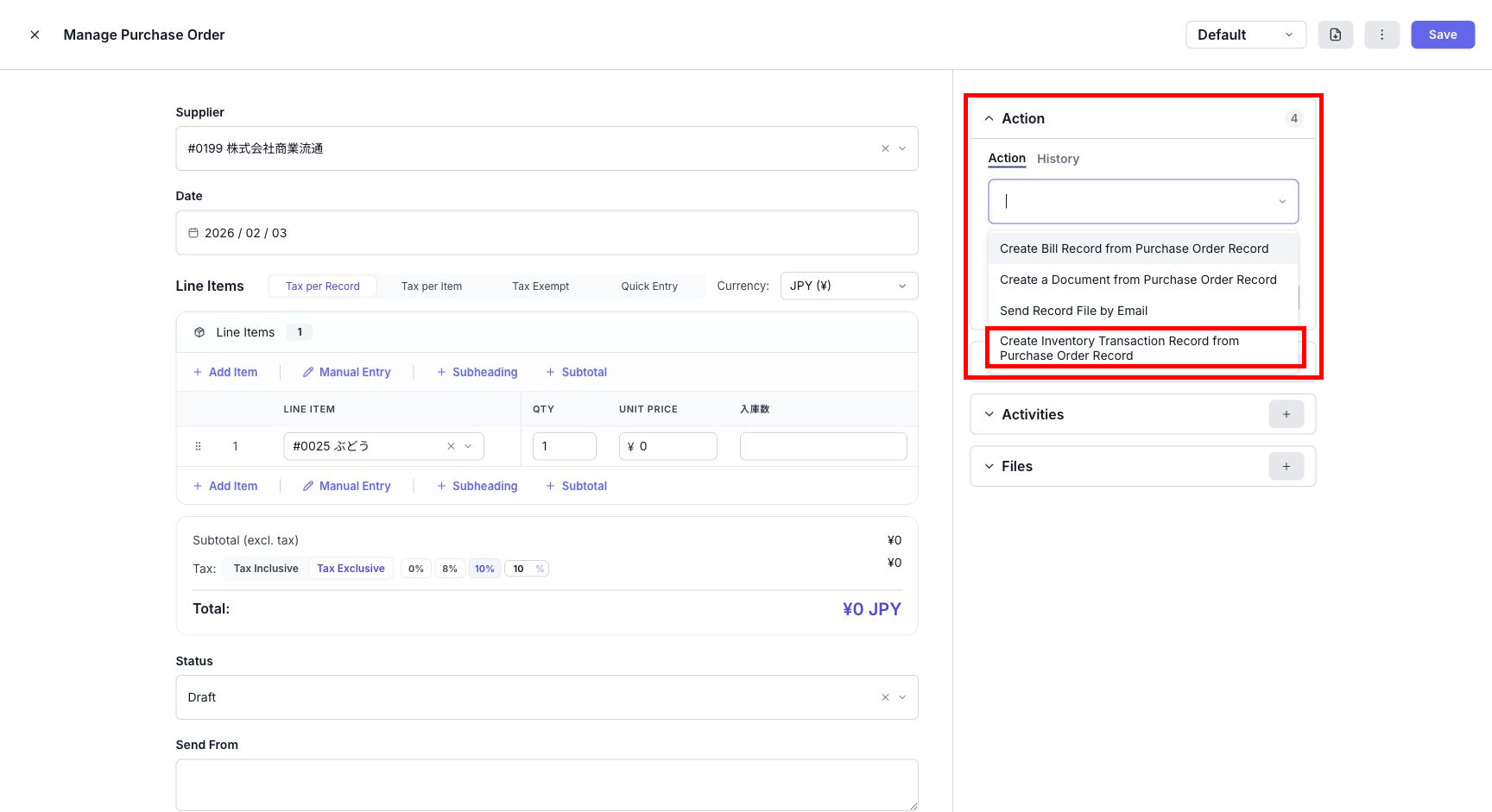
This is the standard UI path for creating new receiving from a purchase order. Open the purchase order and run the receiving action from the right-side Action panel.
Open the purchase order record.
Open Action on the right side.
Select the record action that creates inventory or receiving from the purchase order.
Confirm the receiving location, target inventory, quantity, and receiving date.
Run the action when the details are correct.
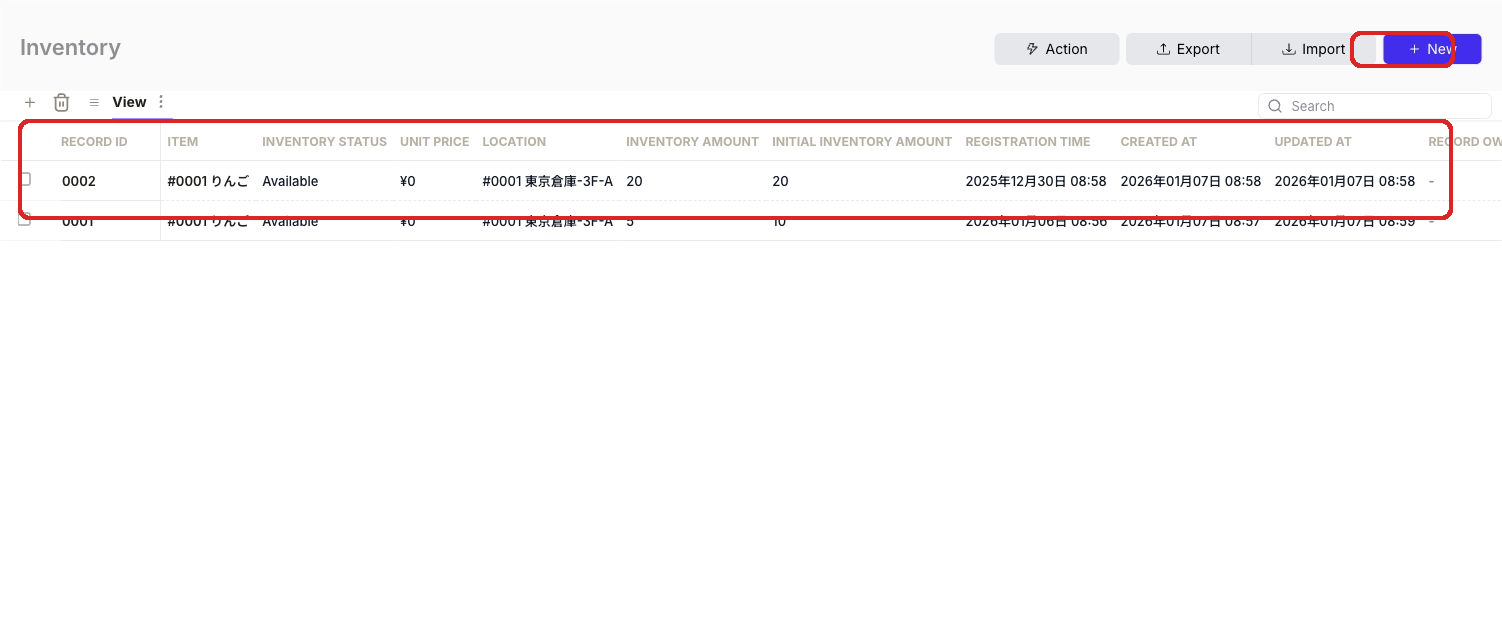
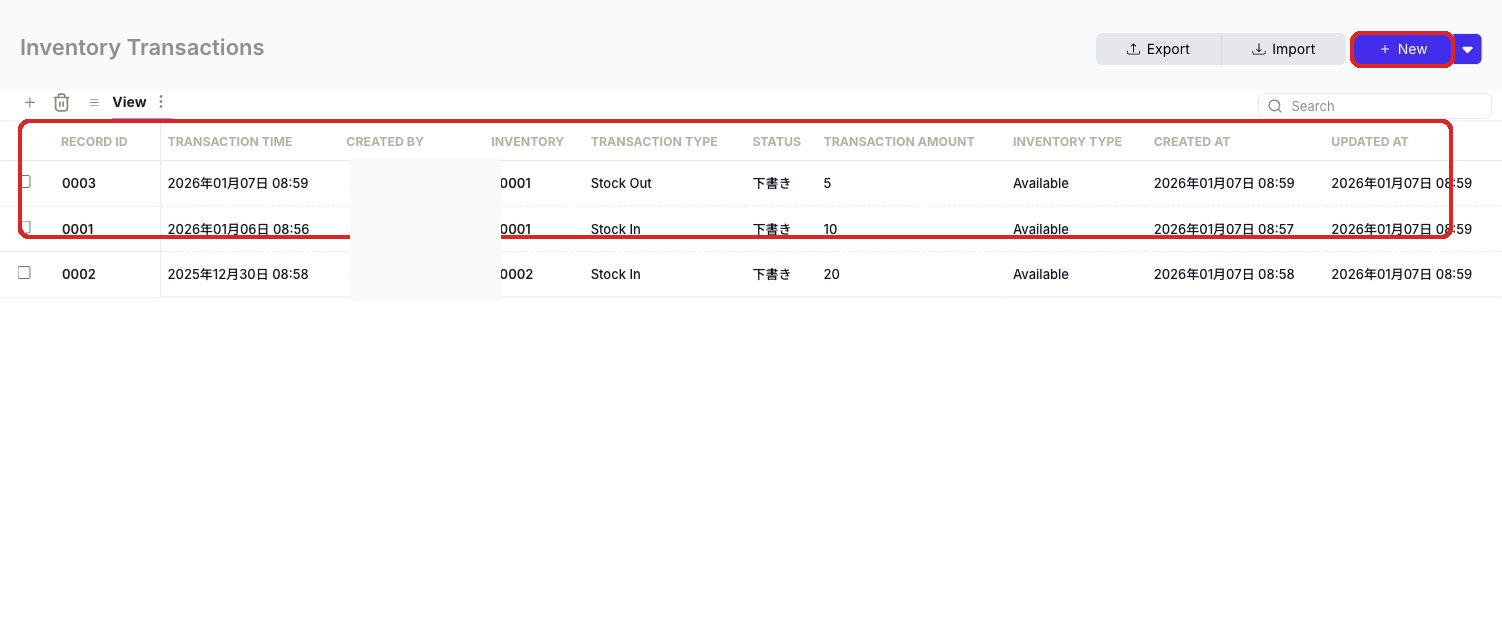
After the action runs, confirm the inventory quantity and inventory transaction history.
Because the record action starts from the purchase order line items, it reduces duplicate entry and quantity copy mistakes. If the quantity received is different from the ordered quantity, receive only the quantity that arrived and process the remainder as a separate receiving event.
UI: link existing receiving with associations
If the stock-in transaction was already created, or if you are organizing older records, link the purchase order and receiving record with an association. This path makes the relationship visible.
Open the purchase order record.
In the right-side association area, open Inventory Transactions or the related-record management panel.
Select the existing stock-in record.
Confirm that the receiving record appears as related to the purchase order.
Adding an association does not increase inventory by itself. Inventory increases when a stock-in inventory transaction is created or updated. If you are processing new receiving, use the record action instead of the association-only path.
Expected receiving and status
If your workspace controls which inventory transaction statuses are included in inventory calculations, you can create expected receiving before the goods arrive. For example, keep processing as a planned status and include only delivered in inventory calculations. In that setup, current inventory does not increase when the expected receiving record is created. It increases when the goods arrive and the status is changed to delivered.By default, all inventory transaction statuses are included in inventory calculations. In that default setup, inventory is reflected when the stock-in record is created. If you want to keep receiving as a plan first, confirm which inventory transaction statuses count toward inventory before starting the operation. If the expected receiving date is in the future, update the receiving date to the actual date when the goods arrive.
Checkpoints
After receiving, confirm the following.
The purchase order shows the related receiving or inventory transaction record.
The inventory transaction type is Stock In.
The received quantity matches what arrived.
The receiving date or expected receiving date is correct.
The inventory quantity increased as expected.
For partial receiving, the remaining unreceived quantity is still visible in your operation.
2Created stock-in record2026/05/15 10:23Purchase Order 0001 / ReceivingCreated receiving from purchase order line itemsRecord Action
1Reviewed purchase order2026/05/15 10:20Purchase Order 0001Confirmed vendor, item, and quantityClaude / Codex
You can also verify status, quantity, and related records from the purchase order, inventory transaction, and inventory records.
When should I update the purchase order status?
Update the purchase order status based on your internal rules, usually when receiving is complete. Use "Received" or the receiving-complete status your workspace defines. For partial receiving, avoid marking the order as fully received until the remaining quantity is clear.

 Because the record action starts from the purchase order line items, it reduces duplicate entry and quantity copy mistakes. If the quantity received is different from the ordered quantity, receive only the quantity that arrived and process the remainder as a separate receiving event.