Quickstart
Get an API key and make your first request to Sanka.
Last updated: November 8, 2026
One API and one key work across Sanka Desk, Sanka Flow, Sanka Migrate and Sanka Cloud. This guide shows how to get a key and make your first requests in TypeScript or Python.
The Python SDK needs Python 3.10 or newer. You can also call the API over HTTP from any language, at
Save the code as
If the key is wrong or has been deleted, the API answers
Get an API key
- Sign up, or sign in to your Sanka workspace.
-
Open Workspace → API & Developers.
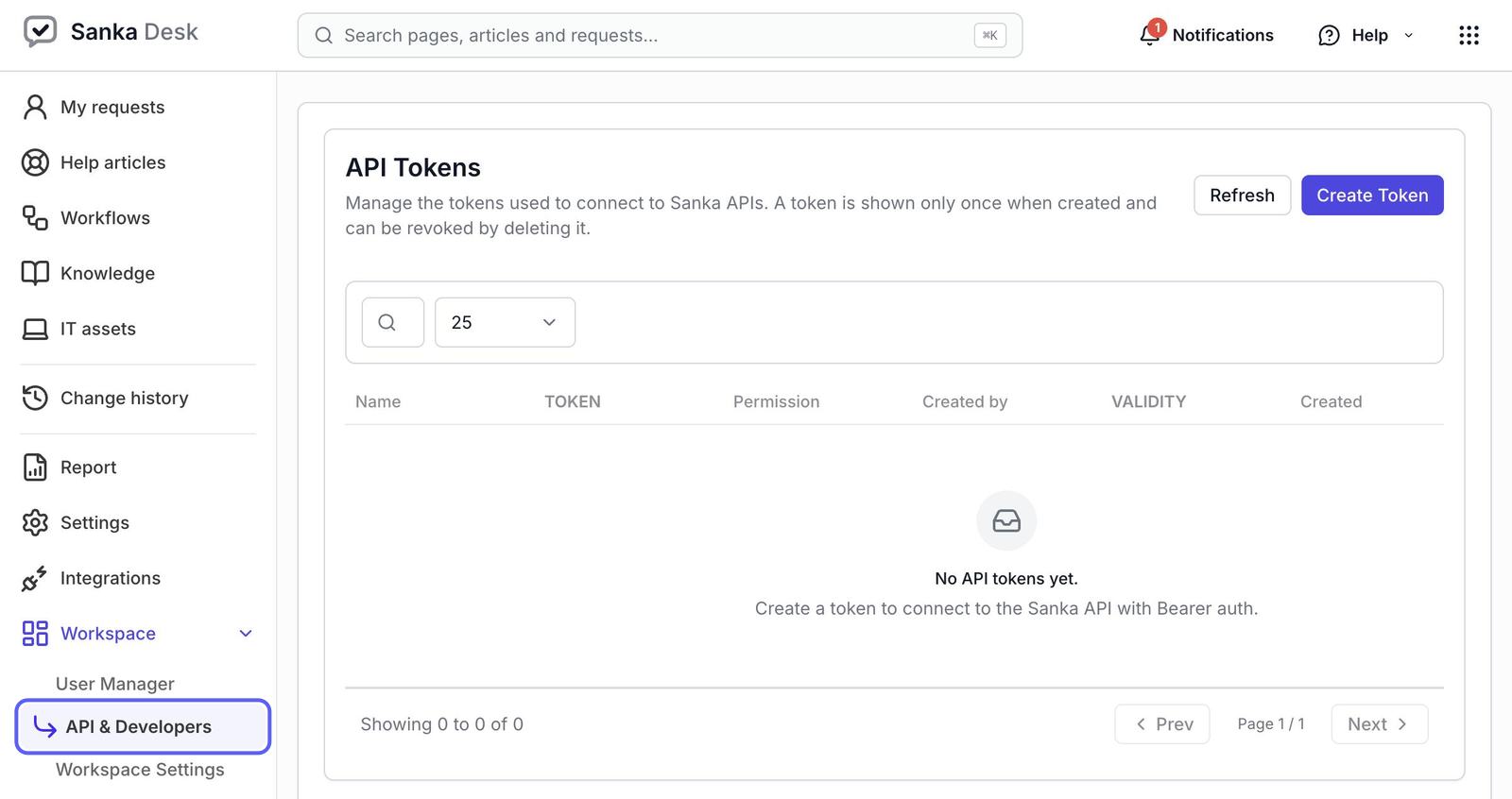
- Select Create Token, enter a name, then select Create Access Token.
- Copy the token. It is shown only once.
Bash
export SANKA_API_KEY="<access_token>"
Install the SDK
npm install sanka-sdk
https://api.sanka.com/v2.
Make your first request
This request asks Sanka which workspace your key belongs to. It changes nothing.import Sanka from "sanka-sdk";
const sanka = new Sanka({ apiKey: process.env.SANKA_API_KEY });
const { result } = await sanka.publicAuth.getCurrentIdentity();
console.log(result.data.workspaceName, result.data.permissionLevel);
first-request.mts and run npx tsx first-request.mts, or save it as first_request.py and run python first_request.py. It prints your workspace name and your key's access level:
Text
Acme regular
401.
Call Sanka Desk
The SDKs cover Sanka Flow, Sanka Migrate and Sanka Cloud. For Sanka Desk, send the same key over HTTP. This request lists your IT tickets, and a new workspace has none yet:const res = await fetch("https://api.sanka.com/v2/public/desk/tickets?page_size=5", {
headers: { Authorization: `Bearer ${process.env.SANKA_API_KEY}` },
});
const { data } = await res.json();
console.log(`${data.total} tickets`);
for (const ticket of data.items) {
console.log(ticket.number, ticket.state, ticket.title);
}
Next steps
File IT tickets
File a request and let Sanka Desk resolve it with AI.
API reference
Every endpoint for Sanka Desk, Flow, Migrate and Cloud.
Authentication
Add write access, and rotate or delete a key.
Sanka MCP
Connect Claude Code, Codex and other agents with browser sign-in, no API key.
Sanka CLI
Migrate code on your machine, with no account or API key.