Stale deals are not just a forecast problem. They are a workflow problem. Dun & Bradstreet says B2B data can decay by more than 34% per year, and Scratchpad's 2023 RevOps Trends Report found only 22% of RevOps and sales leaders strongly agreed they had the right data for accurate forecasting. (Dun & Bradstreet, Scratchpad)
If you only need the operator workflow, use the sales guide. This page is the implementation version for teams that want MCP in Codex, Cursor, or Claude, or want to schedule the logic through the API or SDK.
I have seen this become a recurring operational tax in sales teams of every size: once pipeline review depends on manual filtering and memory, stale deals survive longer than they should. The implementation work is about making the detection and prioritization repeatable.
What you'll build
This guide turns the stale-deal review into a repeatable technical workflow:
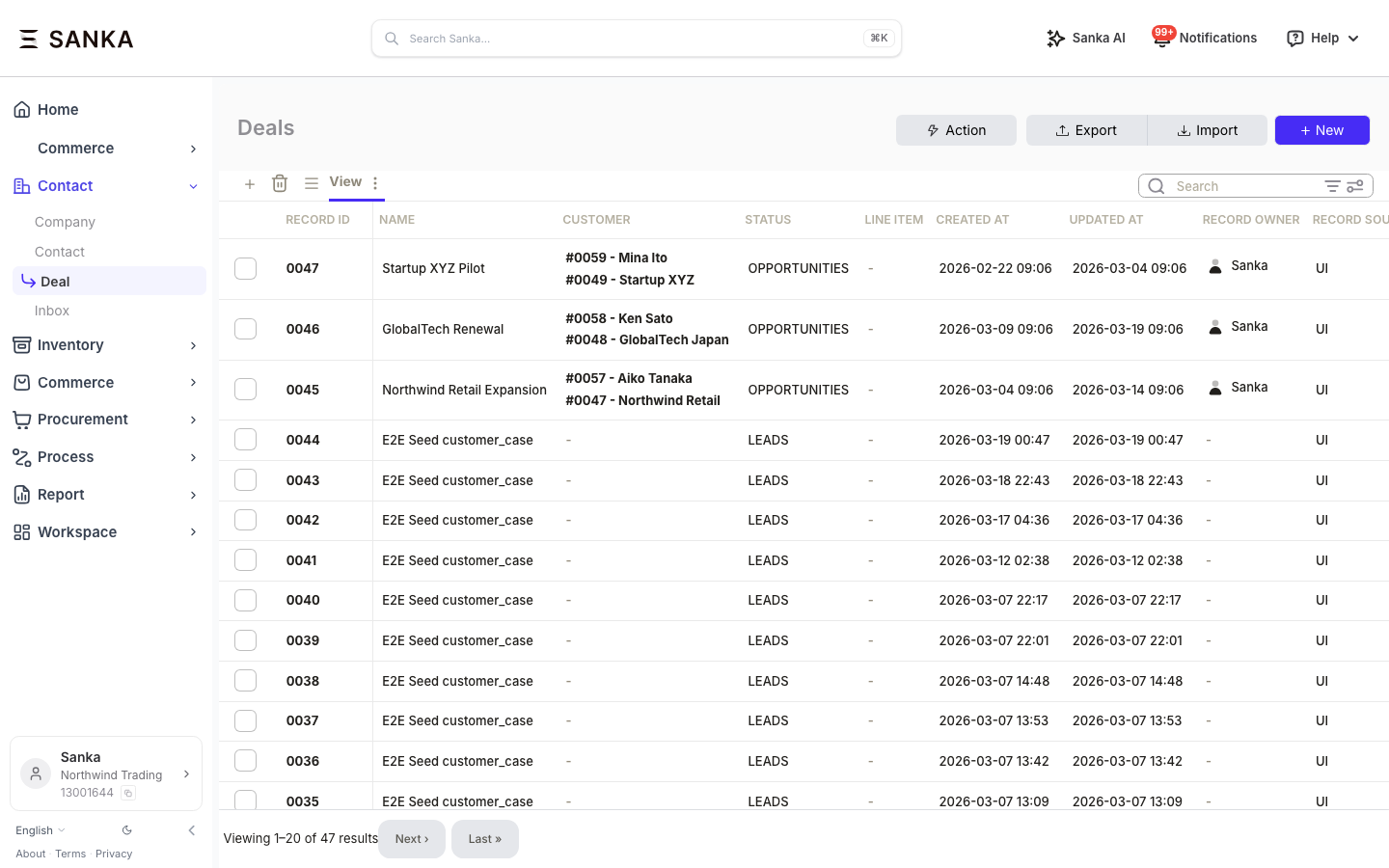
- List open deals with no activity in the last 14 days
- Score each stale deal to separate real recovery candidates from dead weight
- Tag or group the deals by action bucket
- Prepare the flow for daily or scheduled execution
Total setup time: about 5 minutes with MCP, about 20 minutes with the API or SDK.
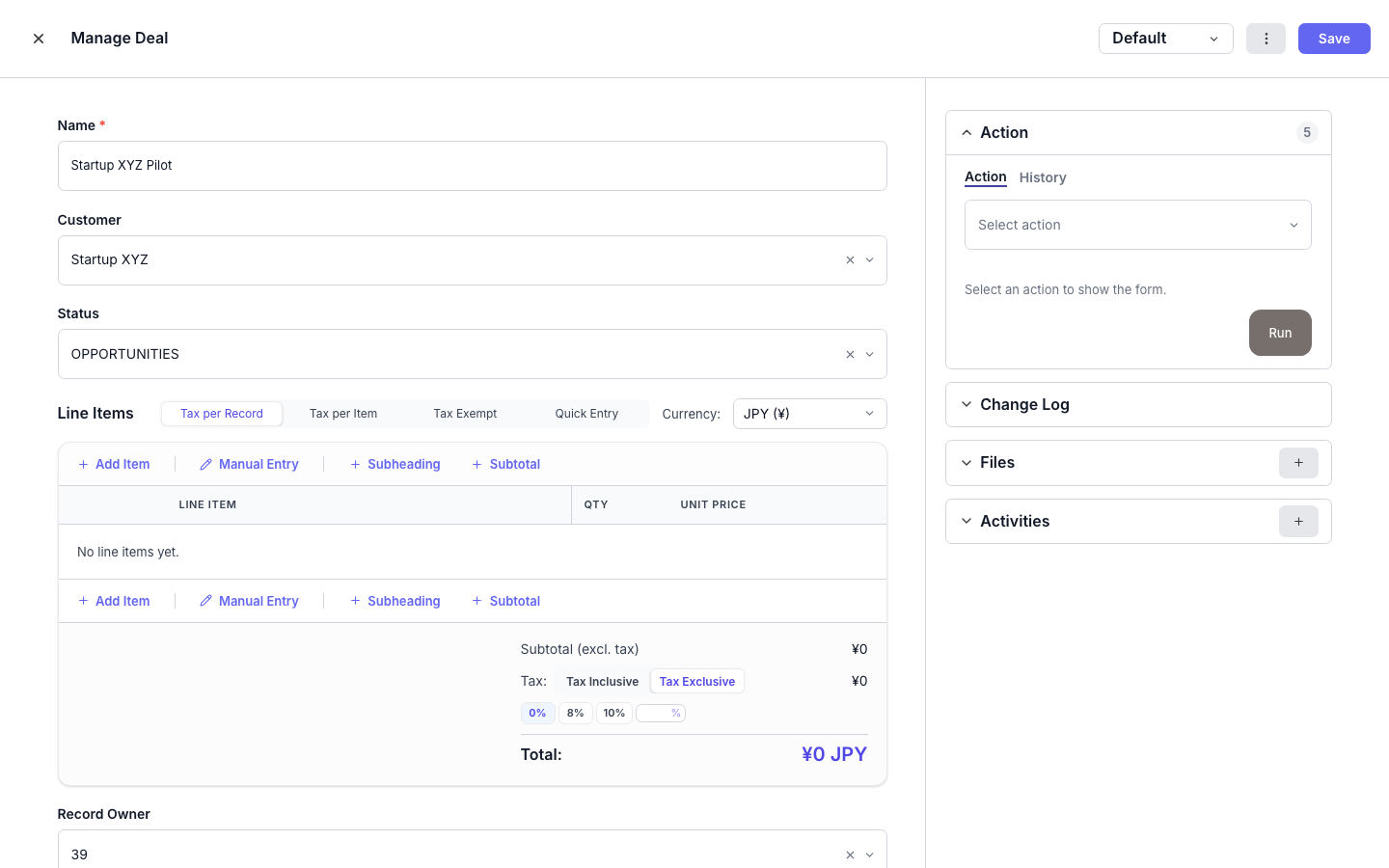
Option A: Run it from Codex, Cursor, or Claude with MCP (5 min)
This is the fastest technical path if you want an agent to inspect records, score them, and help prepare the workflow logic without writing everything from scratch.
1. Connect Sanka MCP
Use mcp-remote so your client completes browser-based OAuth against Sanka's hosted MCP server.
{
  "mcpServers": {
    "sanka": {
      "command": "npx",
      "args": [
        "-y",
        "mcp-remote",
        "https://mcp.sanka.com/mcp",
        "--resource",
        "https://mcp.sanka.com/mcp"
      ]
    }
  }
}
On first use, the client opens a browser window for sign-in and consent. mcp-remote stores the OAuth session in ~/.mcp-auth.
2. Describe what you want
List all open deals that have not been updated in the last 14 days.
For each stale deal, score the deal and group it into:
- re-engage now
- nurture later
- close out
For the re-engage-now bucket, return the primary contact and draft a short follow-up note.
If possible, suggest which deal tags or fields I should update in Sanka.
3. Review the results
The agent should return something like:
| Deal | Value | Days inactive | Score | Bucket |
|---|---|---|---|---|
| Acme Corp - Enterprise plan | $45,000 | 21 | 72/100 | Re-engage now |
| GlobalTech - Expansion | $28,000 | 16 | 65/100 | Re-engage now |
| Startup XYZ - Starter | $3,200 | 31 | 23/100 | Close out |
From there, you can either keep the workflow interactive or convert the same logic into a scheduled script.

Option B: Build it with the API / SDK (20 min)
Use this when you want the logic in version control, want to schedule it, or need tighter control over the scoring and tagging behavior.
1. Install the SDK
pip install sanka-sdk
2. Build it
from datetime import datetime, timedelta

from sanka import Sanka

client = Sanka(api_key="sk_live_...")

cutoff = datetime.now() - timedelta(days=14)
open_deals = client.deals.list(status="open")

stale_deals = [
    deal
    for deal in open_deals
    if datetime.fromisoformat(deal["updated_at"]) < cutoff
]

scored_deals = []
for deal in stale_deals:
    score_result = client.ai.score({"type": "deal", "deal_id": deal["id"]})
    days_inactive = (datetime.now() - datetime.fromisoformat(deal["updated_at"])).days
    scored_deals.append(
        {
            "deal": deal,
            "score": score_result["score"],
            "days_inactive": days_inactive,
        }
    )

reengage_now = [
    item
    for item in scored_deals
    if item["score"] >= 60 and item["deal"]["value"] >= 10000
]
nurture_later = [
    item
    for item in scored_deals
    if item["score"] >= 40 and item not in reengage_now
]
close_out = [
    item
    for item in scored_deals
    if item["score"] < 40 or item["days_inactive"] > 45
]

for item in reengage_now:
    client.deals.update(item["deal"]["id"], {"tags": ["re-engage-now"]})

for item in nurture_later:
    client.deals.update(item["deal"]["id"], {"tags": ["nurture"]})

for item in close_out:
    client.deals.update(item["deal"]["id"], {"tags": ["close-out"]})

print(f"Re-engage now: {len(reengage_now)}")
print(f"Nurture later: {len(nurture_later)}")
print(f"Close out: {len(close_out)}")
3. Automate it
You can run the script daily with cron, a workflow runner, or your existing job scheduler. The point is to move stale-deal review from an occasional manual cleanup task into a routine control.
Why split this from the sales article?
Sales readers usually care about whether the workflow helps them move pipeline and save time. Technical readers care about auth flow, MCP client setup, repeatability, and code ownership. Keeping those in separate articles avoids making both audiences scroll through the wrong material.
If you need the operator-facing version for managers or reps, send them to the sales guide.
Next steps
- Sales guide: detect stale deals and auto-reengage prospects
- MCP Server Guide
- Authentication
- Quickstart
Sources
- Dun & Bradstreet: Why Data Quality Management Is Key to Sales and Marketing Alignment
- Scratchpad: 2023 RevOps Trends Report
If you want the fastest non-technical path, go back to the sales guide. If you want this under technical control, start with the MCP guide and then move into the API or SDK.