
Contact Object Overview
Overview of the Contact object and how to create contact records.
Sanka's Contact object is a powerful tool to store, organize, and manage business contacts in one place.
This includes customers, suppliers, partners, and other related parties.
It is designed to streamline communication, track interactions, and improve relationships across your business network.
What you can do with the Contact object
The Contact object is useful in many business scenarios:- Manage customer relationships: Store contact information and track interactions so you can follow up on inquiries and deals effectively.
- Manage suppliers and vendors: Keep supplier contacts in one place to manage orders, deliveries, and restocking efficiently. This supports a smooth supply chain.
- Collaborate with partners and stakeholders: Organize external contacts and access critical information when needed.
- Link contacts to inventory transactions: When contacts are tied to specific transactions (such as inventory sales or orders), the Contact object links them to related actions.
- Sales and marketing: Contacts are often used for targeted campaigns, email marketing, and sales follow-ups. In Sanka, you can connect contacts to campaigns and integrate with external CRM tools like HubSpot.
Why the Contact object matters
The Contact object plays a central role in business management:- Centralized information: All contact data lives in one place, reducing complexity and errors from spreadsheets or scattered systems.
- Better communication: With organized contacts, you can communicate quickly and accurately with customers, suppliers, and partners.
- Stronger collaboration: Team members can access contact details and interaction history, improving consistency across the business.
- Tracking and accountability: Each contact is linked to actions in the system, making it easy to track interactions. This is important for customer service, project management, and compliance.
- Integration with other systems: Sanka integrates with platforms like HubSpot, letting you manage contacts in Sanka while syncing key data to external CRMs.
- Analytics and reporting: Combined with Sanka analytics, contacts provide insights into engagement patterns and support data-driven decisions.
- Scalability: As your business grows, the Contact object scales to manage thousands of contacts without losing efficiency.
What you can store in Contact properties
The Contact object functions as a comprehensive address book. Each record can include:- Name (first and last): Personal identification
- Email address: For communication and notifications
- Phone number: Direct contact method
- Company information: The organization the contact belongs to
- Location/address: For shipping or visits
- Profile image: Optional visual identification
- Notes and tags: Related notes and a tagging system for organization
How to create a contact record
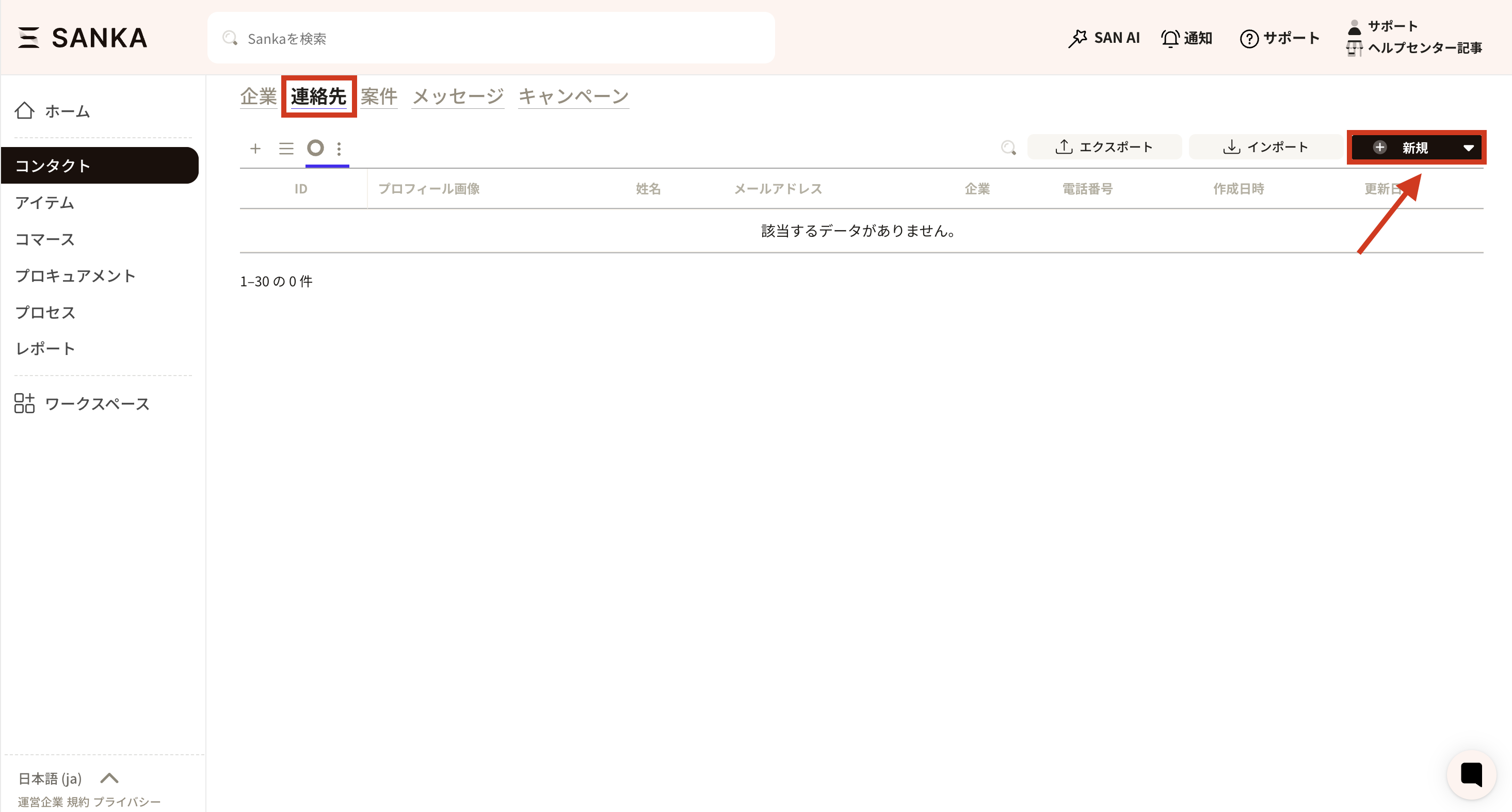
Below is how to create contacts one by one.- Select the Contact object and click New in the top-right corner.
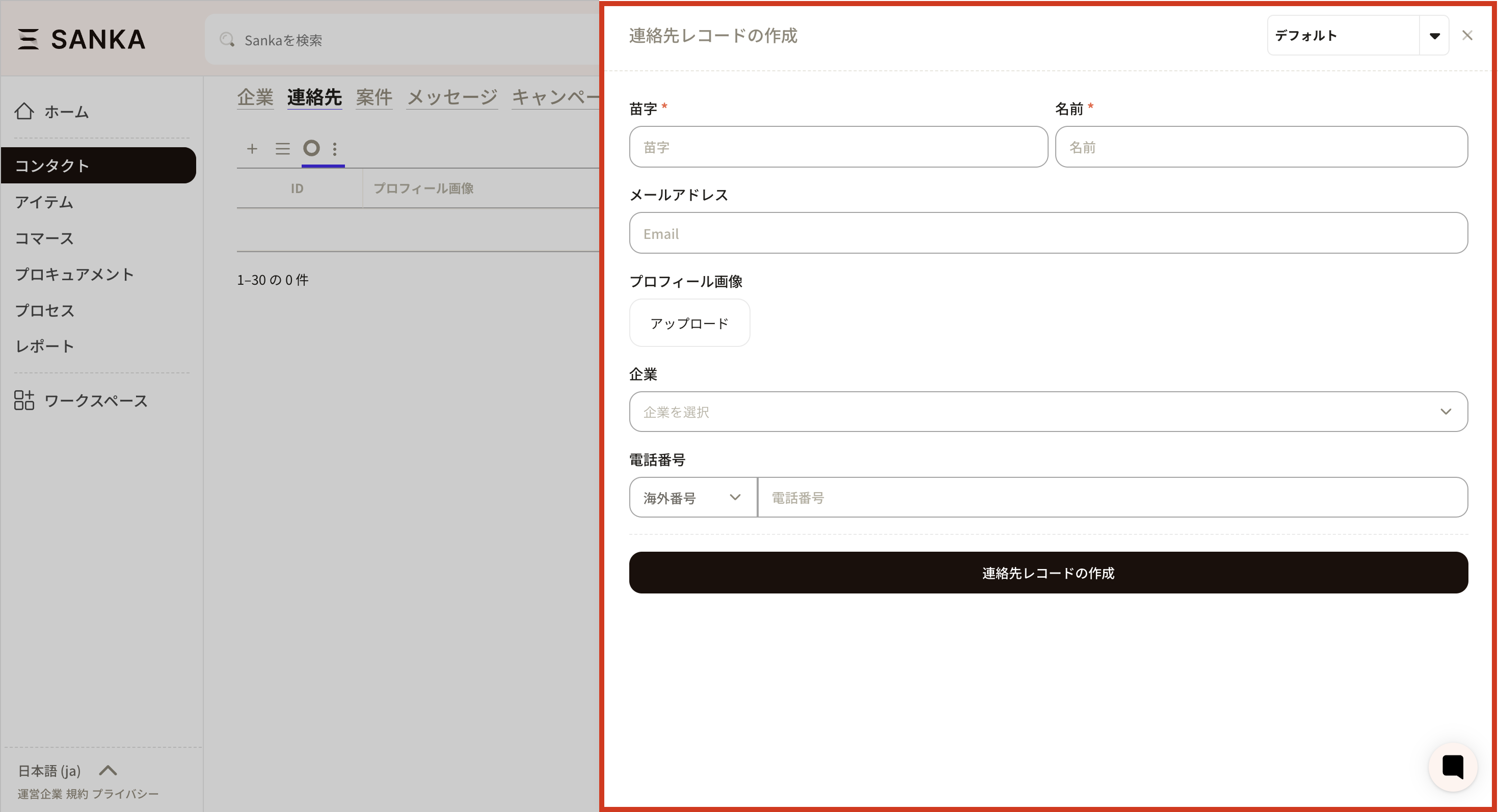
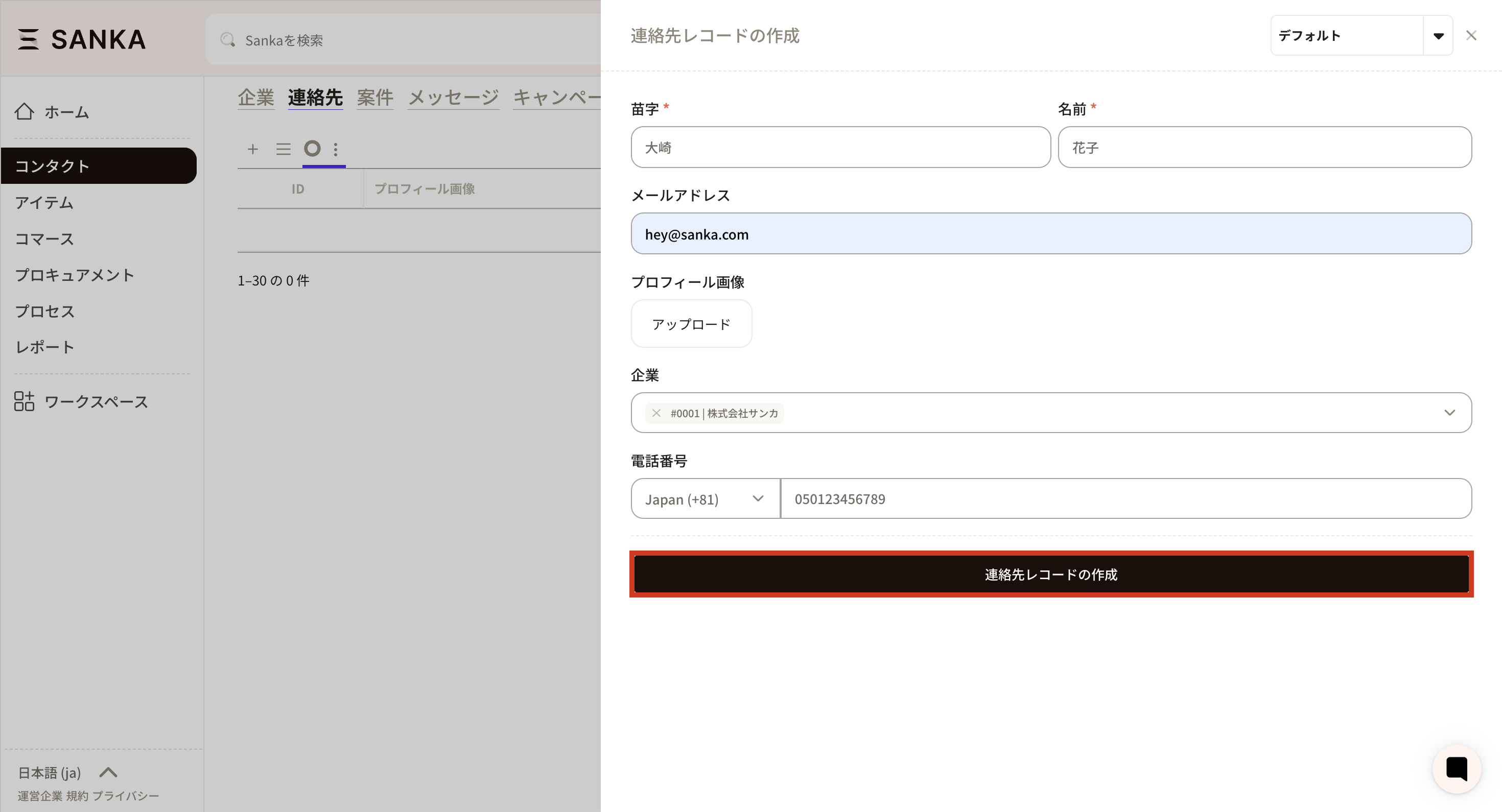
- The Create Contact Record menu appears. Fill in the required fields.
- Click Create Contact.
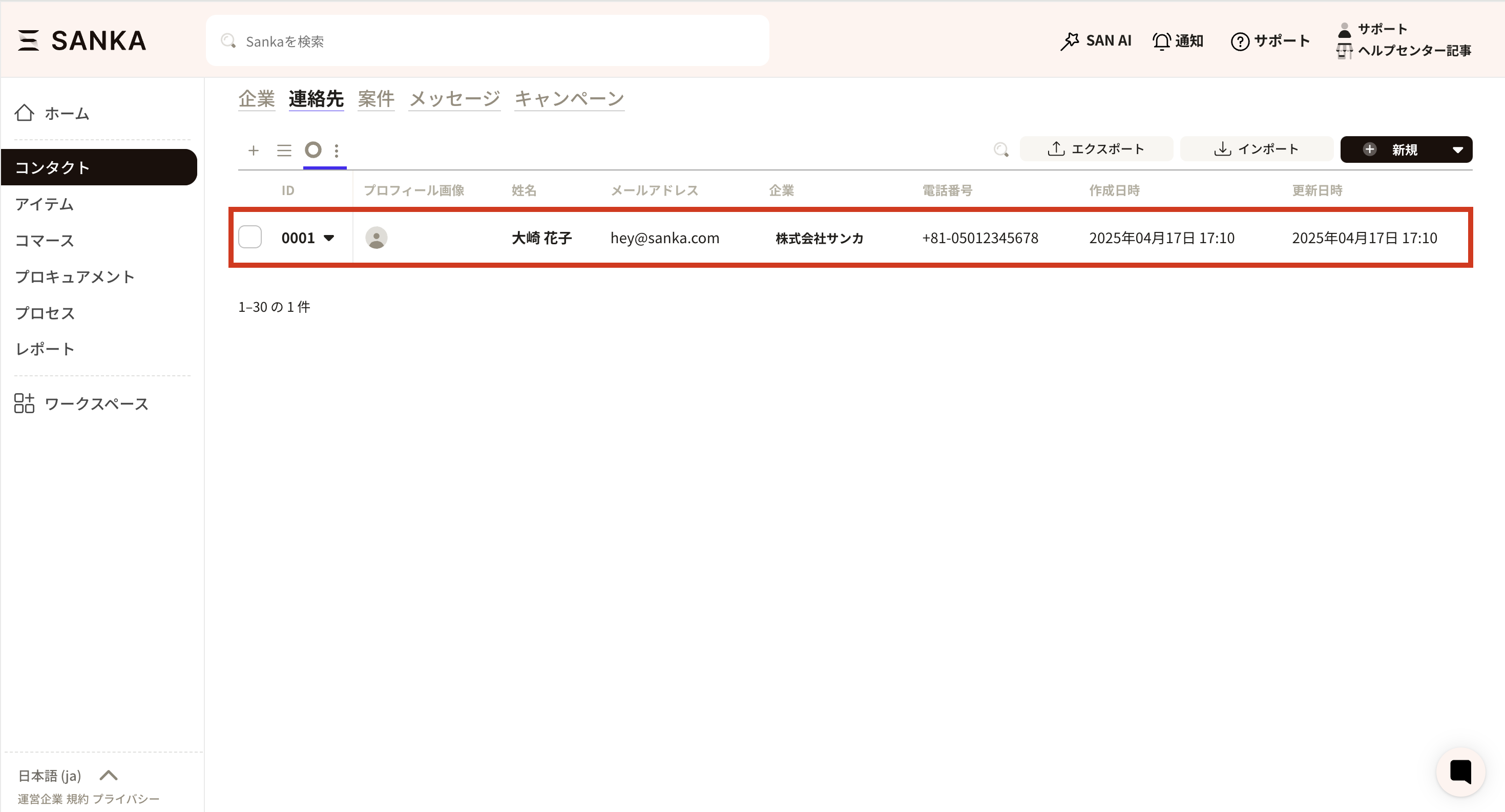
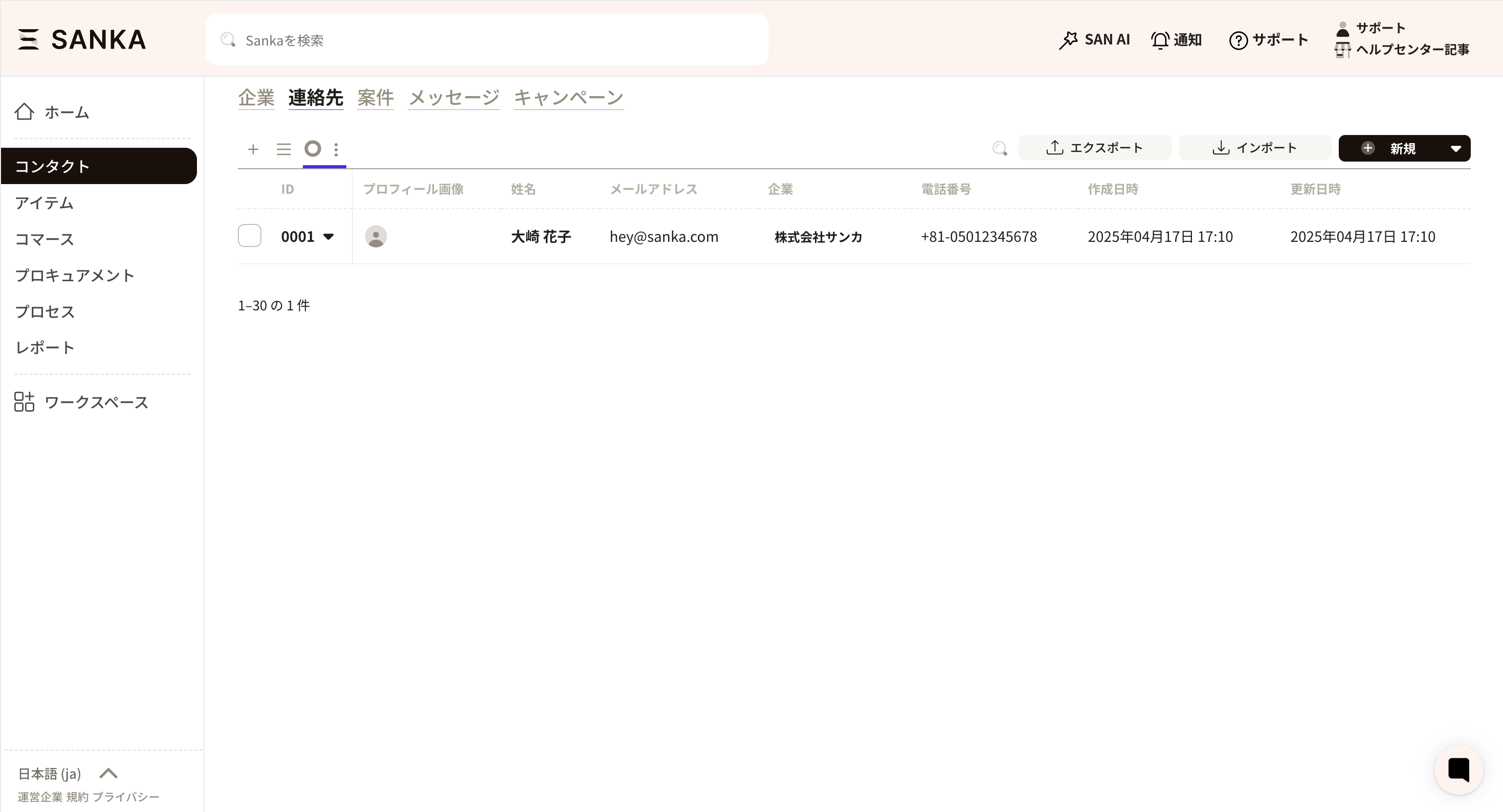
- The contact record appears in the list table. Contact IDs are assigned automatically in the order created.
Bulk create or update contacts via CSV
For bulk create or update, see: How to bulk create or update contact records via CSV.How to edit or archive contact records
Edit a contact record
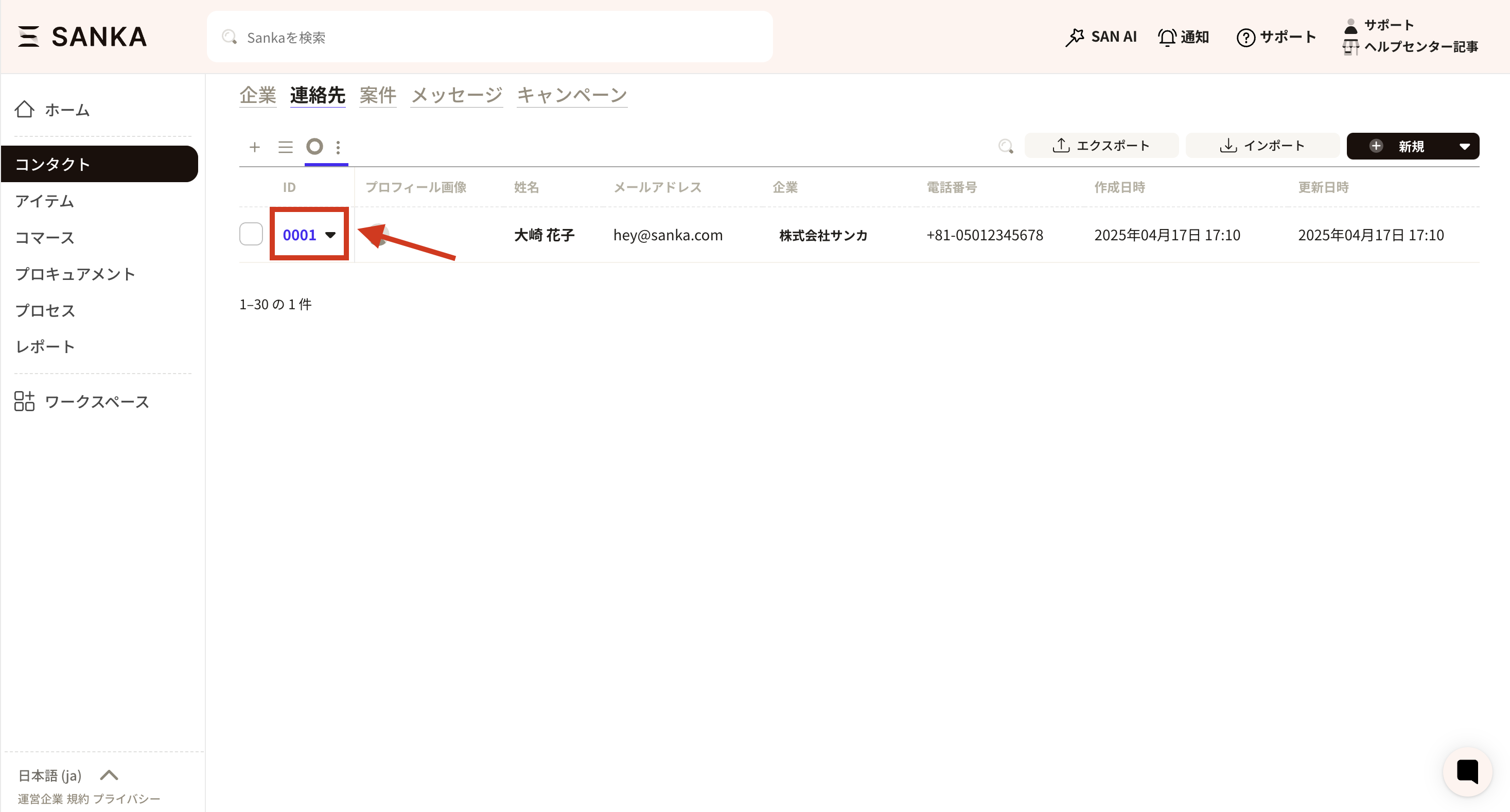
- Click the ID of the record you want to edit.
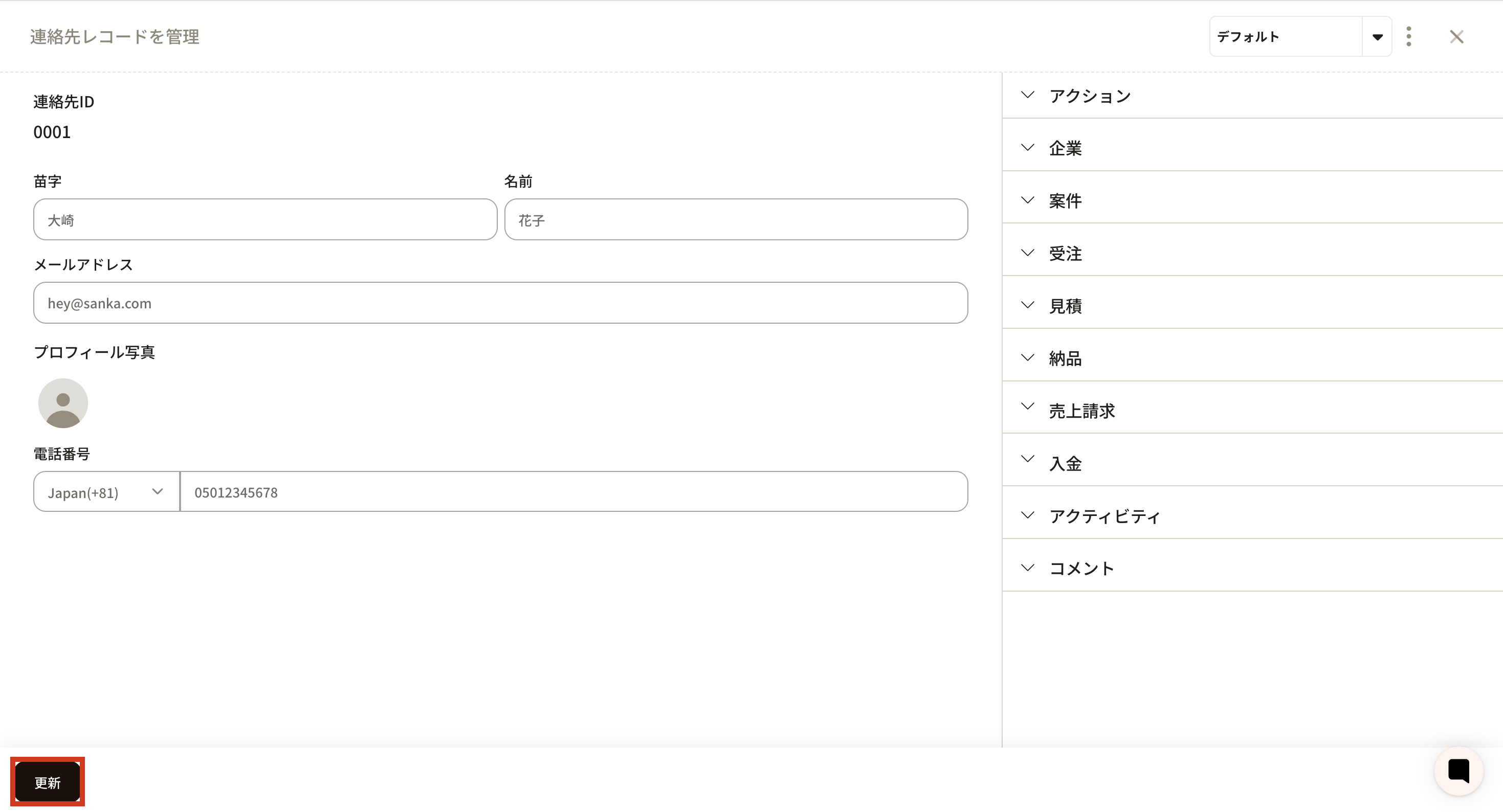
- The Manage Contact Record screen opens. Edit the information and click Update.
Archive a contact record
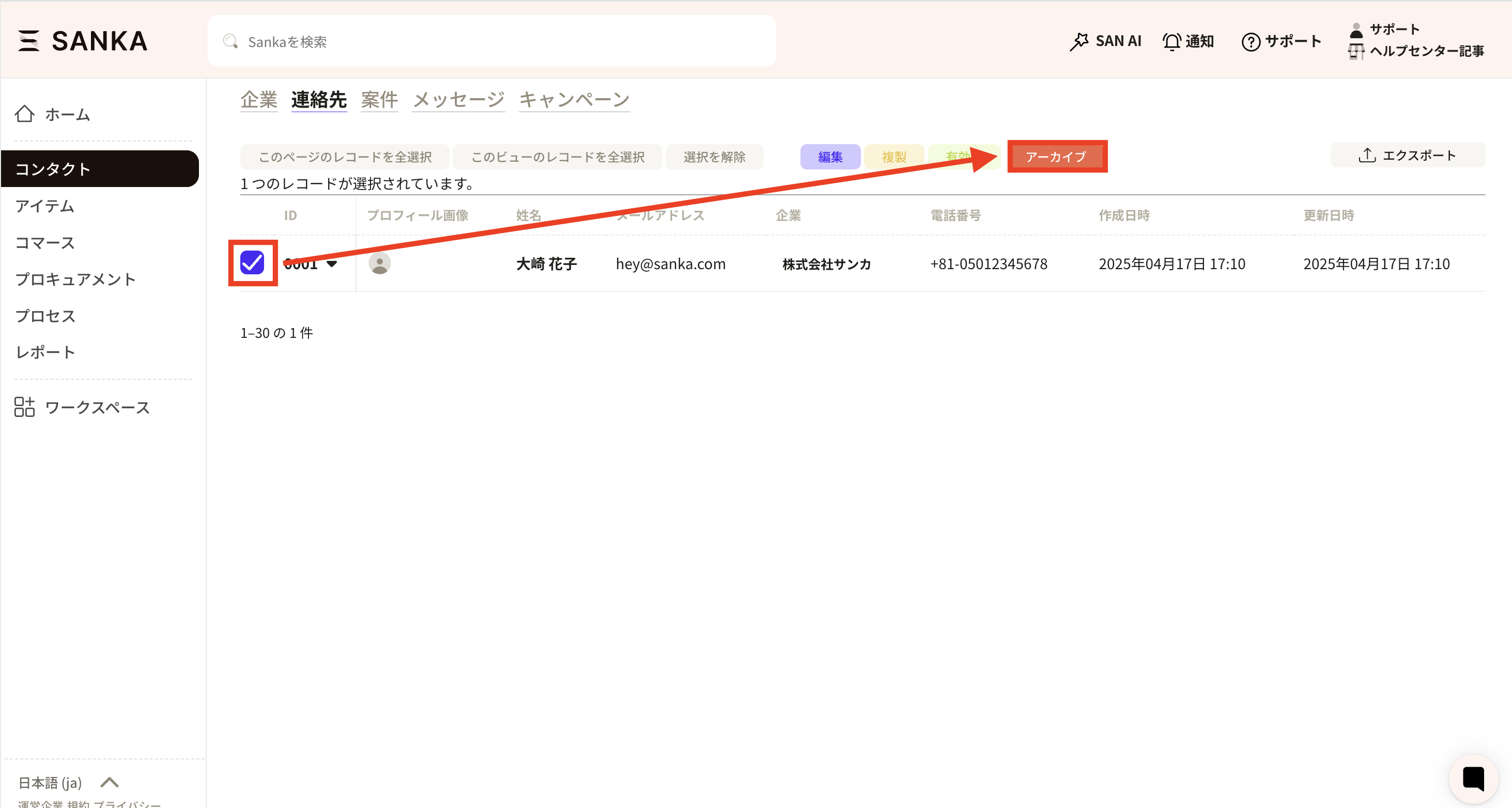
Archiving hides a contact record from the table without deleting it. This is recommended when you want to remove records from active views.- In the record list, select the checkbox for the contact you want to archive and choose Archive.
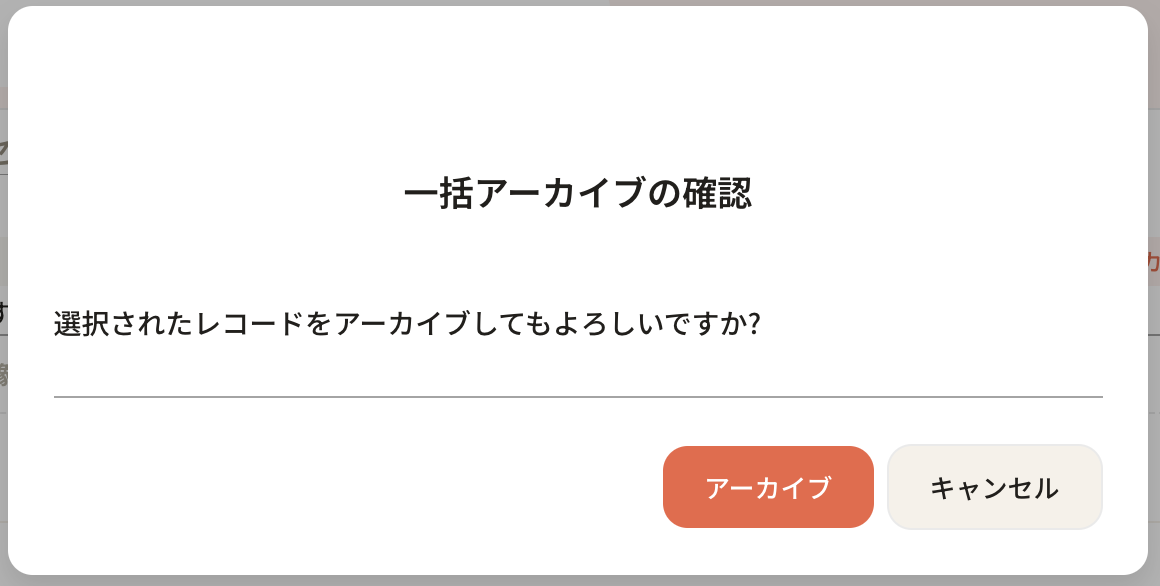
- A confirmation popup appears. Click Archive.
- The archived contact disappears from the record list.
Restore an archived contact
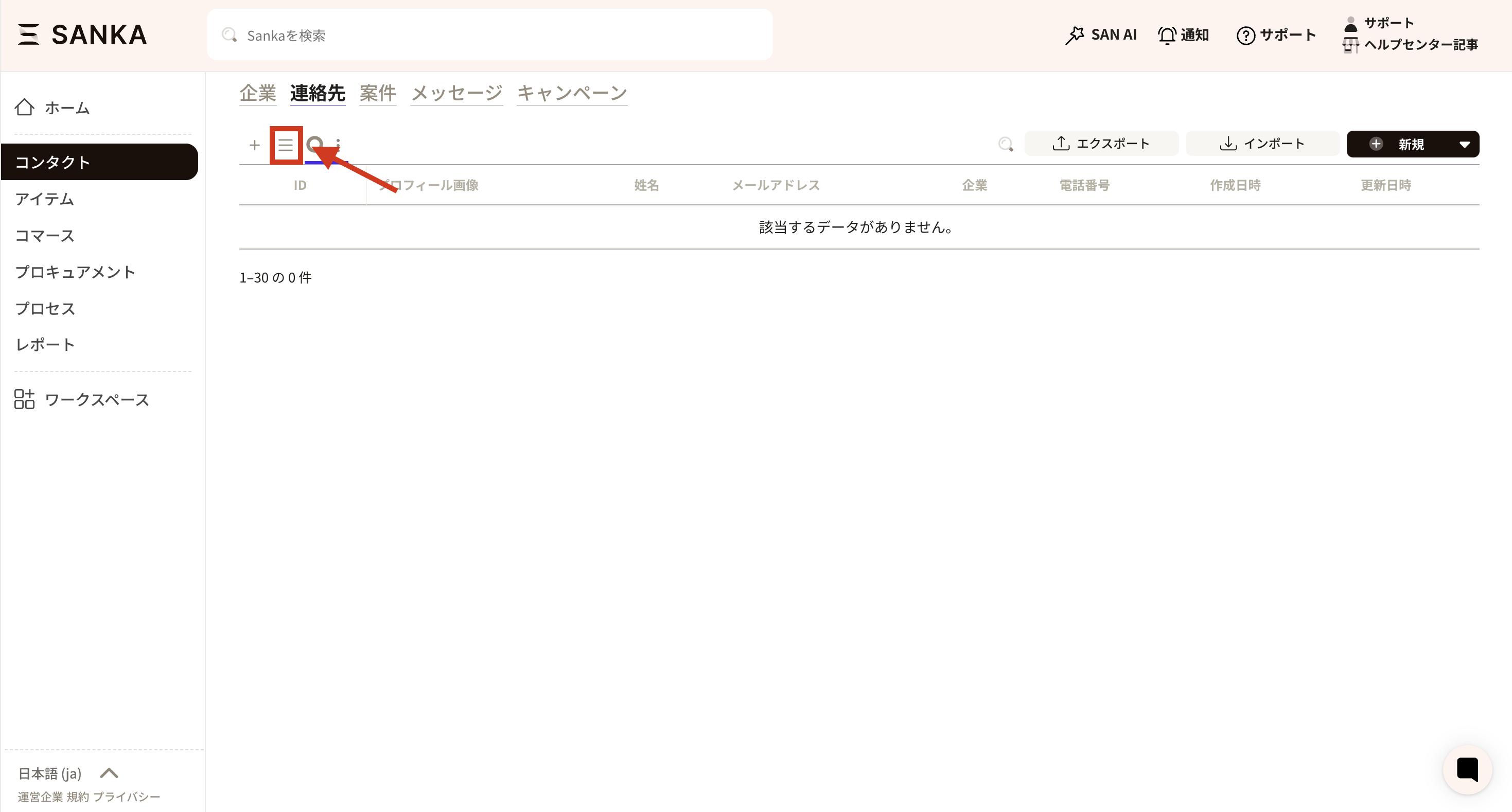
- On the record list page, click the three-line menu icon.
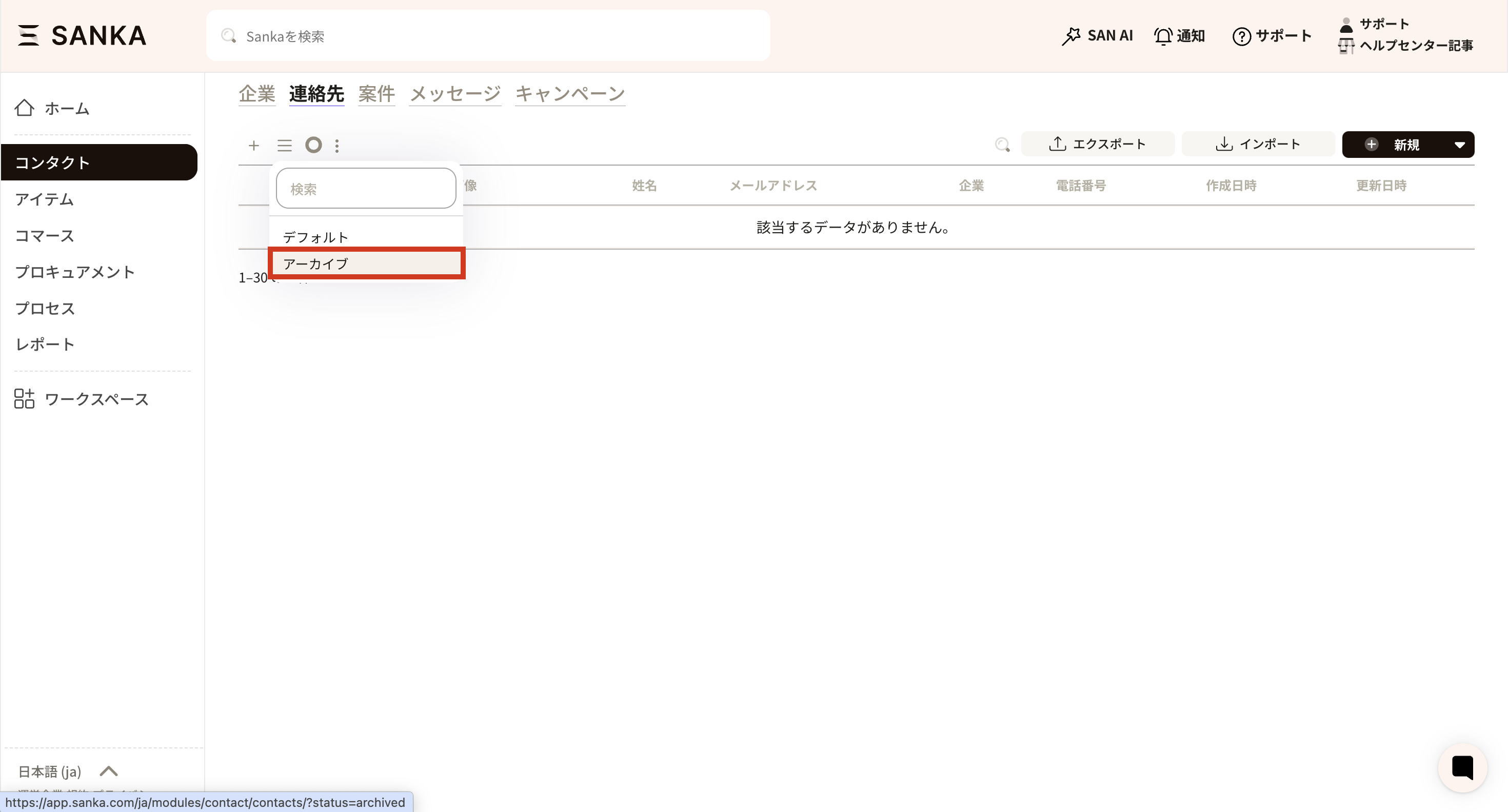
- Select Archived to view archived records.
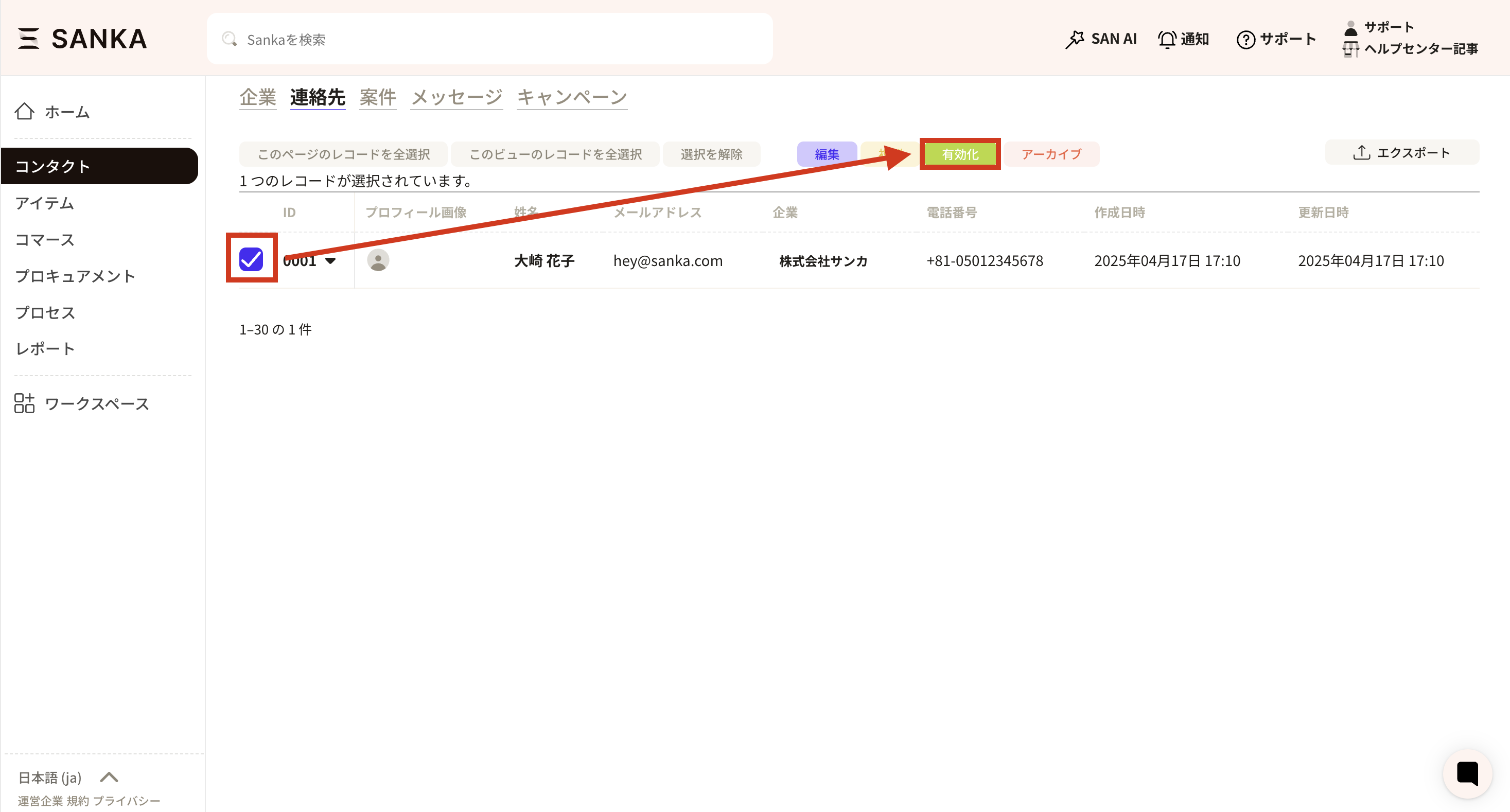
- Select the checkbox for the record you want to restore and click Activate.
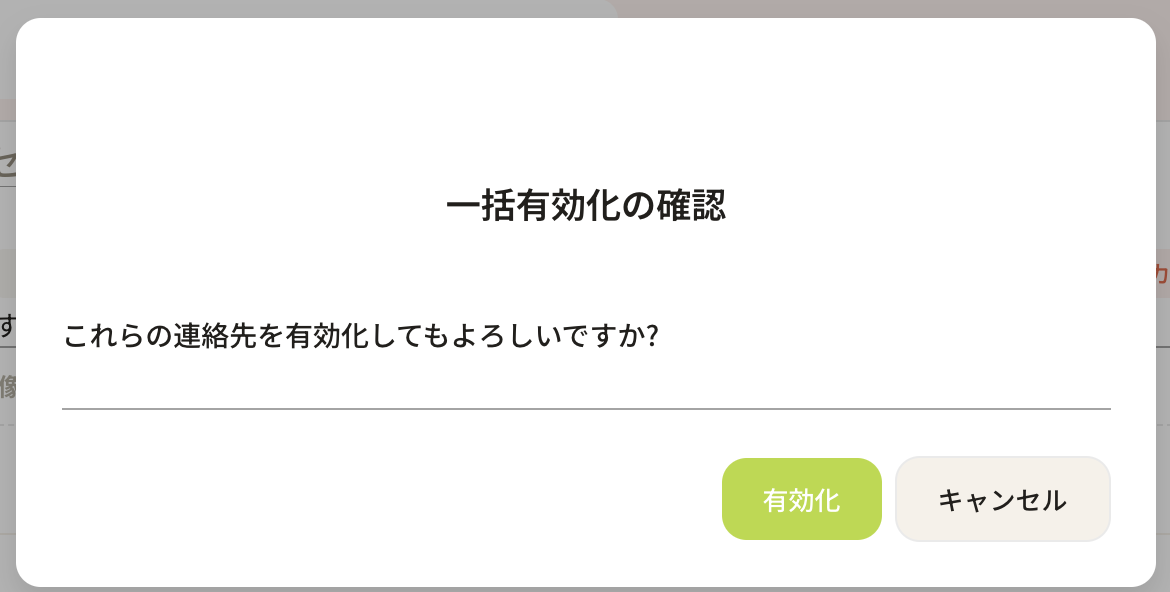
- A confirmation popup appears. Click Activate.
- The record appears again in the list.